Cross-Border E-Commerce Multi-Language Shopping Mall System: Cost Comparison Notes on Payment Gateway and Logistics Integration
Cross-Border E-Commerce Multi-Language Shopping Mall System: Cost Comparison Notes on Payment Gateway and Logistics Integration
Disclaimer: This article is for technical education and demonstration only. It is not professional or financial advice. Any real-world deployment must comply with applicable laws and regulations.
Last month I took on a project: a client selling small home appliances into Southeast Asia needed a multi-language online store that could actually run. He wasn’t asking for a platform handling millions of concurrent users—just a complete closed-loop system that could list products, collect payments, and ship orders. I happened to have a production-grade multi-language store source code on hand, which could be adapted with some customization. This article documents the entire process—the option comparison, deployment, and every pitfall I hit—so anyone planning to build their own store has a reference point.

Three Options on the Table: Where the Money Differs
The client had a tight budget, so I started by running the numbers. Three paths were on the table:
Option 1: SaaS Platforms
Platforms like Shopify are the fastest—you can open a store the day you sign up. The catch: annual subscriptions plus transaction fees easily run into thousands of dollars per year, and both your data and your code live on someone else’s servers. Want to tweak a page? You’re at the platform’s mercy. Connecting local payment channels often means paying extra for plugins on top of that. This suits people who never want to touch code, but my client wanted to keep his options open.
Option 2: Full Custom Development
I asked a friend who runs an outsourcing shop for a quote: frontend, backend, and admin panel, starting at $30,000 with a timeline of at least four months. The functionality could be fully customized, sure, but the cost was ten times higher and delivery quality was far from guaranteed. The client shook his head immediately.
Option 3: Source Code Deployment Plus Customization
This is the route we ended up taking. The source code already shipped with product management, multi-language support, orders, a distribution system, and a membership module—the core features were all there. I took it and did the localization work. Total time for deployment and debugging came to six working days, at a fraction of the custom development cost.
A quick side-by-side comparison:
| Item | SaaS Platform | Custom Outsourcing | Source Code Deployment |
|---|---|---|---|
| First-year cost | $1,200–2,800/year + transaction fees | $30,000+ | Hundreds of dollars + server |
| Time to launch | Same day | 4+ months | About 1 week |
| Code control | None | Full | Full |
| Customization freedom | Low | High | High |
| Data ownership | Hosted by platform | Self-owned | Self-owned |
Bottom line on the decision: for small and mid-sized sellers building a cross-border store, deploying source code offers the best value—you spend money on servers and customization, not on subscriptions.
Environment Setup Went Smoothly, With One Trap
This store source code runs on the classic LNMP stack. My setup: CentOS 7.9 + Nginx 1.22 + MySQL 5.7 + PHP 7.4. One detail matters here: the code uses the ThinkPHP framework, and PHP versions between 7.2 and 7.4 are the most stable. Out of habit I installed PHP 8.1 first, and the admin panel went straight to a white screen—logs showed legacy syntax compatibility errors. Rolling back to 7.4 fixed everything. This is a trap many beginners fall into: newer PHP isn’t always better. Follow what the source code requires.

Don’t Forget the Rewrite Rules
The Nginx rewrite rules ship in the source package, yet plenty of people finish deployment only to find every frontend page returning 404. This is why. Paste the rules into your site config, reload, and you’re good.
Admin Account Initialization
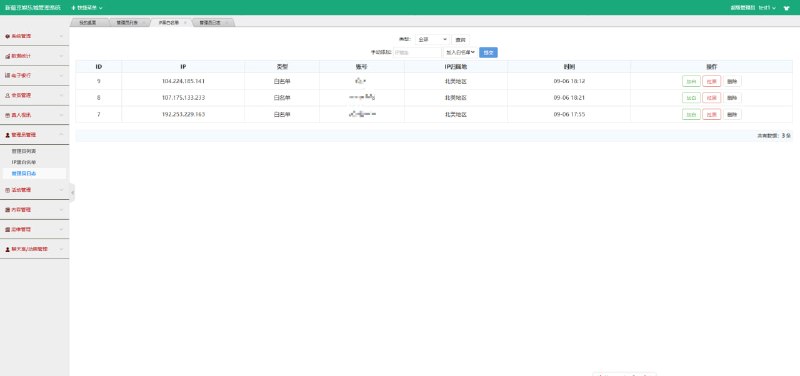
After importing the database, the admin account lives in the admin table. The default password is MD5-hashed—change it the moment you log in for the first time. The admin panel is organized cleanly into six sections: products, orders, members, marketing, finance, and system settings. You won’t be digging around to find a feature.
Payments and Logistics: Where the Real Work Happened
Getting the store skeleton up took only two days. The remaining four days were entirely consumed by payment and logistics integration.
Payment Gateway Integration Notes
The Southeast Asian market runs primarily on local e-wallet channels. The source code had a payment gateway extension interface built in, and I followed the documentation to connect two channels: one for international credit card acquiring, using a Stripe-style API, and another for the local wallet, which works on a server-to-server callback notification model. The most frustrating debugging moment was a callback signature verification failure—after half a day of digging, it turned out the parameter concatenation order in the callback URL didn’t match the signature algorithm. I reproduced it three times locally by simulating callbacks with Postman before pinpointing the issue. In the end, payment confirmation callbacks landed within five seconds.

How the Multi-Language Switching Works
This source code handles multi-language via language packs: Chinese, English, Thai, and Vietnamese files stored in separate directories, loaded on the frontend based on a language flag in the cookie. When doing customization, one thing to watch: any new page you add must have its copy written into every language pack. Otherwise, switching languages on that new page leaves gaps, and raw language key names show on screen, which looks terrible. I wrote a small checker script specifically to scan for untranslated keys.
How the Logistics Module Was Configured
For shipping, the source code includes freight templates supporting tiered pricing by weight, item count, and region. The client wanted to connect a third-party logistics provider’s tracking API, so I hooked the tracking query interface into the order detail page—buyers can see their parcel’s journey after logging in. I ran one complete test from order placement to shipment: from successful payment to the logistics provider returning the first tracking event, it took about 20 minutes.

What Customization Headroom Does This Source Code Leave?
Honestly, the scariest part of inheriting someone else’s code is a messy structure you can’t modify. This codebase is properly layered with MVC—controllers and models are well separated, and the frontend templates live in a dedicated views directory, so changing pages never touches business logic. While I was at it, I did three things:
1. Swapped the homepage banners for the client’s own product images—done in 20 minutes;
2. Adjusted the membership tier upgrade rules per the client’s requirements, which meant editing one admin config item plus a bit of model logic;
3. Wired in an analytics interface so the admin panel now shows daily visitors and conversion rates.
If the client later wants to add a livestream selling module or short-video embeds, the framework has clear places to attach them—no need to tear anything down and start over.
Frequently Asked Questions
Q: What are the server requirements for this store source code?
A: A starting config of 2 cores, 4 GB RAM, and 5 Mbps bandwidth is enough. You won’t need to scale until daily orders climb past several hundred. Pick a data center close to your target market—Singapore or Hong Kong nodes for Southeast Asia business noticeably speed up page loads.
Q: Payment callbacks aren’t arriving—what’s the usual cause?
A: Nine times out of ten, either the callback URL isn’t a publicly accessible HTTPS domain, or your firewall is blocking the payment provider’s callback IPs. First confirm the callback URL in the payment dashboard, then manually simulate a callback with curl to pinpoint the problem quickly.
Q: Do I need professional translators for multi-language content?
A: For product titles and descriptions, hire human translators—machine-translated copy in smaller languages reads awkwardly and hurts conversions. For fixed interface text, running it through a translation tool and then doing a manual review pass is plenty; the workload isn’t large.
Q: Is a source-code-deployed system compliant for running a real business?
A: The system itself is just a tool. After deployment, you must comply with the laws and regulations of your target markets and your home country, and any unlawful use is prohibited. Sort out your business licenses and tax obligations with professional advisors ahead of time.
Disclaimer: This article is for technical education and demonstration only. It is not professional or financial advice. Any real-world deployment must comply with applicable laws and regulations.
#cross-border e-commerce #multi-language store #source code deployment #payment gateway integration #deployment notes
-
 Alipay QR Code Scan
-
 WeChat Scan Pay