Java Financial Data Visualization System Setup Guide: Stock Market Simulator + Vue3 Admin Dashboard
Java Financial Data Visualization System Setup Guide: Stock Market Simulator + Vue3 Admin Dashboard
Disclaimer: This article is for technical education and demonstration only. It is not professional or financial advice. Any real-world deployment must comply with applicable laws and regulations.
Recently helped a friend in financial training deploy a Java-based financial data visualization system, primarily used to demonstrate A-share market data processing workflows and IPO subscription simulation operations for students. The entire system uses separated frontend and backend architecture—user interface, agent management, and main admin dashboard are all built with Vue3, while the server side uses Spring Boot, with complete source code available for secondary development. Ran into a few issues during deployment, so I’m sharing my experience here.
System Function Modules Testing
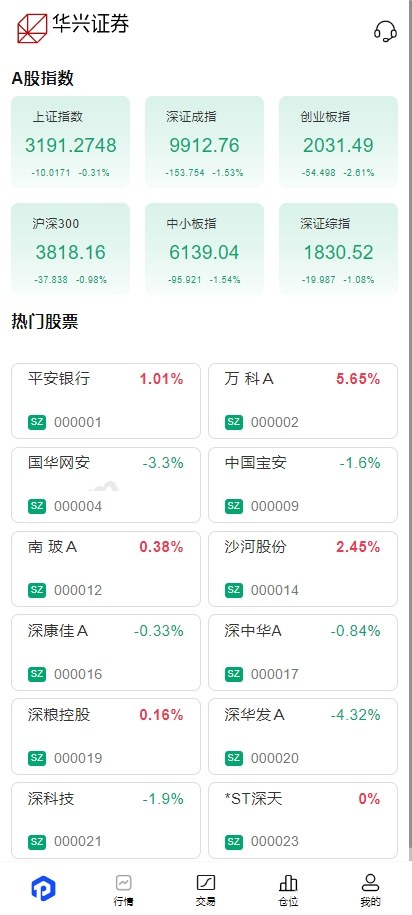
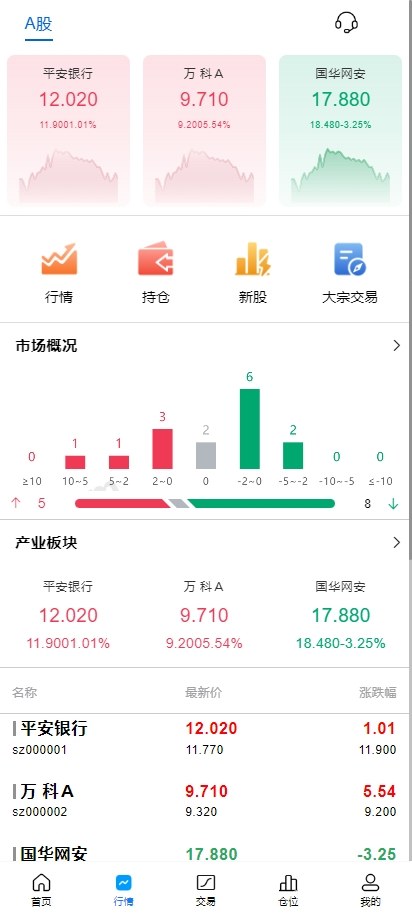
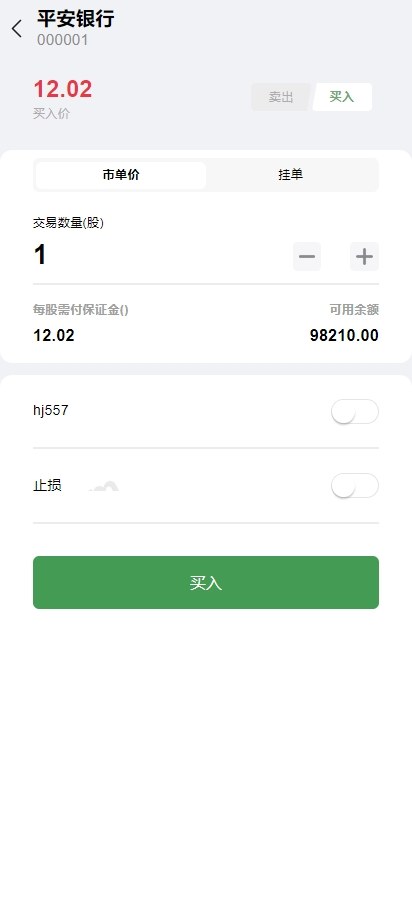
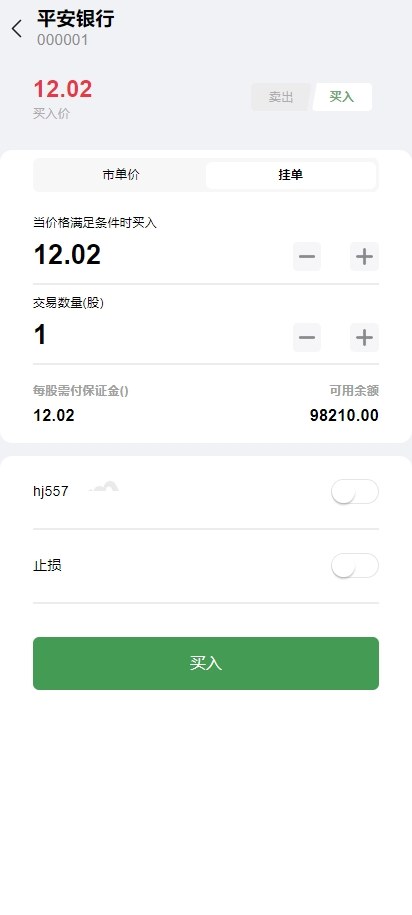
This system mainly has three interfaces. The user interface includes stock market data queries, IPO subscription process demonstrations, bulk data displays, and other functions. The interface design closely resembles actual securities software, making it convenient for teaching demonstrations. The agent backend can manage multi-level agent accounts and view data statistics reports. The main admin dashboard has the highest permissions, allowing configuration of market data sources, user permissions, and system parameters.
Frontend Architecture Details
All three interfaces are developed using Vue3 + Element Plus, with vue-router for routing and pinia for state management. After frontend packaging, the bundle size is well-controlled, with the user interface first screen loading in around 2 seconds. Market data display uses ECharts for candlestick charts and time-sharing charts. The refresh frequency can be configured in the backend—I set it to 5-second intervals during testing.
Backend Technology Stack
The server side uses Spring Boot 2.7 version, with MyBatis Plus for the persistence layer and MySQL 8.0 database. API documentation integrates Swagger—after deployment, you can directly access /swagger-ui.html to see all APIs. Permission control uses JWT tokens with a default expiration time of 24 hours, which can be modified in the configuration file.
Highlight feature: The system includes a built-in simulated market data generator that can produce candlestick trends based on real historical data patterns. You can run demonstrations without connecting to external market interfaces, making it especially suitable for teaching scenarios.
Deployment Troubleshooting Notes
Environment Preparation
I used an Alibaba Cloud server with 4 cores and 8GB configuration, running CentOS 7.9. First installed JDK 11 (note: not JDK 8, as the source code uses some newer features), then installed MySQL 8.0 and Redis 6.2. Nginx is used for reverse proxy and frontend static resource deployment.
First pitfall: Remember to set the character set to utf8mb4 when initializing MySQL, otherwise importing SQL scripts will throw errors. Add these lines to the database configuration file my.cnf:
character-set-server=utf8mb4
collation-server=utf8mb4_unicode_ci
default-time-zone=’+8:00′
Backend Deployment Process
Upload the source code to the server and modify the database connection information and Redis configuration in application.yml. Use Maven to package into a jar file with the command mvn clean package -Dmaven.test.skip=true. After packaging, a jar file with dependencies will be generated in the target directory, approximately 80MB in size.
Second pitfall: Starting directly with java -jar will occupy the foreground process and stop when the SSH connection closes. Use nohup java -jar xxx.jar & to run in the background, with log output to the nohup.out file. A more robust solution is to write a systemd service configuration for automatic startup on boot.
Frontend Packaging and Deployment
For the three frontend projects, navigate to each directory and execute npm install and npm run build. After packaging, upload the files from the dist directory to the server and configure three Nginx virtual hosts pointing to the static files of the user interface, agent backend, and main admin dashboard respectively.
Third pitfall: The Vue project uses history routing mode, so Nginx needs the try_files directive configured, otherwise page refreshes will result in 404 errors. Configuration example:
location / {
try_files $uri $uri/ /index.html;
}
Secondary Development Recommendations
The source code structure is fairly clear, with controller, service, and mapper layers well-separated. To modify interface styles, directly edit Vue components. To adjust business logic, modify the service layer code. Database table design uses soft deletion with a deleted field marker, so deleting data won’t physically remove it.
If you want to connect to real market APIs, write a scheduled task in the service layer to call third-party interfaces to retrieve data and store it in the database. The system has reserved market data tables with fields including stock code, opening price, closing price, highest and lowest prices, and trading volume.
Applicable Scenario Analysis
This system is quite suitable for financial training institutions doing teaching demonstrations or for internal training at securities companies. Because it has built-in simulated data generation functionality, there’s no need to worry about interface authorization and data compliance issues. Code quality is reasonably solid, making it suitable as a learning case study for Spring Boot + Vue separated frontend-backend projects.
For commercial use, it’s recommended to strengthen security protections such as API rate limiting, SQL injection prevention, and sensitive data encryption. The current version only uses MD5 with salt for passwords—it’s better to switch to BCrypt. Additionally, the logging system could integrate with ELK for easier troubleshooting.
Common Questions
Q: How many concurrent users does the system support?
A: I tested on a 4-core 8GB server with no issues at 500 concurrent users, with response times under 300ms. For larger user volumes, you can optimize with Redis caching by caching hot data, and add Nginx load balancing.
Q: Can it connect to real broker interfaces?
A: Technically it can connect, but requires broker authorization and relevant financial licenses. Individual users can only use it for data demonstrations and teaching. The system design has reserved interface extension points—you can integrate external APIs by modifying the service layer.
Q: Can the frontend be converted to a mobile app?
A: Currently it’s a responsive webpage that can also be accessed via mobile browsers. For a native app, the backend interfaces don’t need modification—just rewrite the frontend using React Native or Flutter. All interface documentation is available in Swagger.
Q: Is the database table structure complex?
A: There are around 20+ tables total, mainly user tables, market data tables, subscription record tables, and agent relationship tables. The table structure design is fairly standardized with index optimization. After importing SQL scripts, test data is automatically created for easy debugging.
Q: Is the source code encrypted or obfuscated?
A: No encryption. Both Java source code and Vue source code can be viewed directly, with fairly comprehensive comments. For secondary development, you can modify directly—compilation and packaging work without issues.
Overall, this system has decent code quality and the deployment process isn’t too complicated. It’s suitable for developers with some Java and Vue foundation to get started. Works well for learning separated frontend-backend architecture or for financial data display projects.
Disclaimer: This article is for technical education and communication purposes only. During deployment and use, please comply with national laws and regulations. Do not use this system for any illegal purposes. Financial data processing requires appropriate qualifications and authorization. Personal use is limited to technical research and teaching demonstration scenarios only.
Disclaimer: This article is for technical education and demonstration only. It is not professional or financial advice. Any real-world deployment must comply with applicable laws and regulations.
#Java Development #Vue3 #Financial Data #System Deployment #Source Code Setup
-
 Alipay QR Code Scan
-
 WeChat Scan Pay