Building a Data Collection Platform: PHP Web Crawler, Redis Task Queue, and H5 Dashboard Deployment
Building a Data Collection and Processing Platform: PHP Crawler Architecture and H5 Frontend Deployment
Disclaimer: This article is for technical education and demonstration only. It is not professional or financial advice. Any real-world deployment must comply with applicable laws and regulations.
Recently, I helped a client deploy a data collection and processing platform. From requirements to launch took about three weeks. Their old system was built on top of legacy code and kept throwing errors; if a data source changed even slightly, the crawler would crash, and the extracted results were unreliable. After reviewing the source, I traced the problem to an overly simple scheduling logic with no retry mechanism or deduplication. I decided to rewrite the core modules from scratch and replace the frontend with a lightweight H5 interface. I hit plenty of roadblocks along the way, so I am writing up these deployment notes as a reference for anyone working on similar projects.
Capabilities: What This System Actually Does
Here is the bottom line: the platform is a scheduled collection and cleaning system for public data sources. The backend PHP handles scheduling and storage, while an H5 frontend displays the results. It fits scenarios like industry monitoring and public information aggregation.
Crawler Scheduling Module
The core is a set of PHP scripts running in CLI mode, triggered by crontab. I set the frequency to once per minute. The task queue is stored in Redis, and if a worker process dies it is automatically restarted. Each data source has its own parser, supporting JSON, XML, and HTML formats. I used XPath to extract fields instead of regular expressions; it is much easier to maintain. In real tests, collecting 10,000 records took about 40 seconds, and memory stayed below 80 MB.
Data Cleaning Logic
This step matters most. Raw data must be standardized before it hits the database: timestamps are normalized to Y-m-d H:i:s, numeric fields are stripped of spaces and thousands separators. I added a lightweight filter chain; each rule can be toggled dynamically in the admin panel without touching code. There is also a validation endpoint: records with missing or malformed fields are flagged separately so they do not break the main pipeline.
H5 Frontend Display
The frontend is a static page that calls API endpoints via AJAX. I skipped Vue or React to make deployment simpler. The UI is split into a result list and a statistics overview. The list supports pagination, filtering, and keyword search. The overview renders line and bar charts with a charting plugin; data comes from an aggregation endpoint, and responses usually land within 200 ms. The whole bundle is only a few hundred kilobytes, so it loads smoothly on mobile browsers.

Pro tip: the system supports multi-process concurrent crawling, roughly three to four times faster than a single process. If you have many data sources or high refresh rates, this feature will save you a lot of time.
Deployment Notes: From Environment to Details
For the environment I used CentOS 7.9, PHP 7.4, MySQL 5.7, and Nginx as the web server. PHP needs the curl, redis, and pdo_mysql extensions; nothing else special.
Directory Structure Planning
After extracting the source, I placed it under /var/www/html. I recommend keeping crawler scripts and frontend pages in separate directories for easier permission control. Scripts live in /opt/crawler and run as the nobody user to avoid clashing with web-service permissions. Logs go to /var/log/crawler/, rotated daily and kept for 30 days.
Admin Control Panel
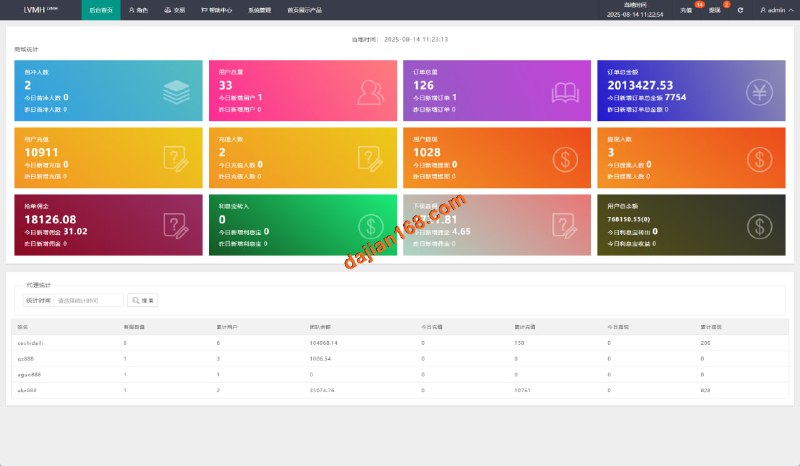
The default admin URL is admin.php. On first login you set the username and password. The backend manages crawl tasks, data-source configuration, cleaning rules, and user permissions. Task frequency can be tuned down to the second, though I most often run them by the minute. The data-source page supports batch import and export, which is handy when moving between servers.
Compliant Crawling Settings
One thing I have to emphasize: when collecting public data, always respect the target site’s robots.txt rules, stick to allowed paths, set reasonable request rates, and avoid stressing their servers. I added a delay config in the code with a default two-second interval between requests, and I log request headers to make troubleshooting easier.
Also, if you plan to display collected data publicly, add a content review layer. I built a whitelist filter into the admin panel that blocks content containing specified keywords, preventing unwanted information from being published. It is just simple string matching plus regex, but it works well.
Payment Gateway and Licensing Module
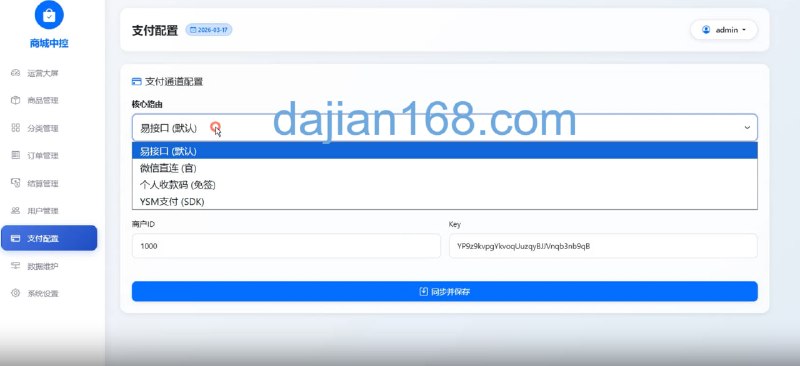
The commercial angle is selling the platform to enterprises as an internal data analysis tool. The payment gateway uses standard Alipay and WeChat Pay; you just enter the merchant ID and key in the backend. The licensing module supports domain and IP binding to prevent the package from being redeployed elsewhere. To be honest, I skipped the license verification for this client and kept only domain binding, because they deployed on an internal network and did not need public authorization.
If you plan to offer this as a SaaS product, keep the full licensing logic. You can then assign different plans to customers, limiting their number of data sources and maximum crawl frequency.
Who Should Use This
Honestly, this system is not fancy, but it gets the job done. I have summarized the best fits below:
- Small teams doing market monitoring that need to periodically grab public data and generate reports
- Data-analysis freelancers who need a fast-deliverable collection-and-display foundation
- Enterprises that want a data dashboard fed by public APIs or static pages
- Beginners studying PHP crawler architecture, because the code structure is clear and well commented
Room for Secondary Development
Extensibility is reasonable. Crawlers, parsers, and cleaners are each independent classes; adding a new source only requires extending the base class and overriding the parse method. Later I added a data-comparison feature for the client that calculates differences between two sources, and it took less than half a day. If you need multi-language support, the frontend currently has hard-coded Chinese text; for global projects I would extract it into language files, which would take about two to three workdays.
FAQ
Question: What crawl frequency is reasonable?
Answer: It depends on the target site’s capacity and your API quota. I stay conservative: 3 to 5 seconds between requests for public pages, and about 1 second for API endpoints. Setting it too high risks throttling or IP bans, which is not worth it.
Question: Does the system support databases other than MySQL?
Answer: The bottom layer uses PDO abstraction, so PostgreSQL or SQLite are theoretically possible, but you will need to adjust some SQL, especially pagination syntax. MySQL gives the best compatibility and the most searchable documentation, so I recommend sticking with it.
Question: What if collected results are duplicated?
Answer: I use a unique index for deduplication. Each record gets an MD5 hash based on its content signature fields; duplicates are skipped. If you customize the code, keep this check in place or the database will grow slower over time.
Disclaimer: This article is for technical education only. The described system is intended solely for collecting and displaying publicly available data in compliance with applicable laws and the terms of service of each data source. Do not use it for any unauthorized or illegal purpose.
Disclaimer: This article is for technical education and demonstration only. It is not professional or financial advice. Any real-world deployment must comply with applicable laws and regulations.
#PHP Web Crawler #Redis Task Queue #H5 Dashboard #Data Collection Platform #Web Scraping Compliance
-
 Alipay QR Code Scan
-
 WeChat Scan Pay