MSI Tabletop Simulation System Source Code Setup Guide: Dual-Platform Deployment + Task Distribution Backend Test Notes
MSI Tabletop Simulation System Source Code Setup Guide: Dual-Platform Deployment + Task Distribution Backend Test Notes
Disclaimer: This article is for technical education and demonstration only. It is not professional or financial advice. Any real-world deployment must comply with applicable laws and regulations.
I recently helped a friend working on a technical demo project deploy the complete source code of an MSI tabletop simulation system. He mainly wanted to study the random number algorithms and task distribution logic, and use it as a hands-on secondary development project for his team. After two days of tinkering, I got the whole thing running, so here I’m documenting the pitfalls I hit and the test data I collected, to save you from the same detours.

Feature Testing: What’s Actually Inside This Source Code
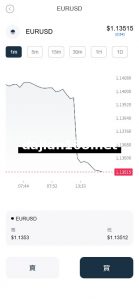
Bottom line up front: the completeness of this package exceeded my expectations. The project files are complete—not one of those half-finished products that only ship a frontend shell. There are 17 game modules in total, including a card simulation simulation, card algorithm demos, dragon-tiger probability simulation, niuniu random number demo, fishing animation demo, thirteen-card dealing demo, roulette wheel demo, reel simulation machine animation demo, and more—all of them probability simulation and random number demonstration modules.
Universal Mode Floor Logic
This is the core selling point of the source code. The so-called universal mode floor is essentially a configurable task distribution and reward fallback mechanism; the backend lets you set trigger conditions, floor thresholds, and settlement cycles. I changed a few parameters during testing and the frontend refreshed correctly, which tells me this logic is driven by database configuration, not hardcoded.
Admin Backend
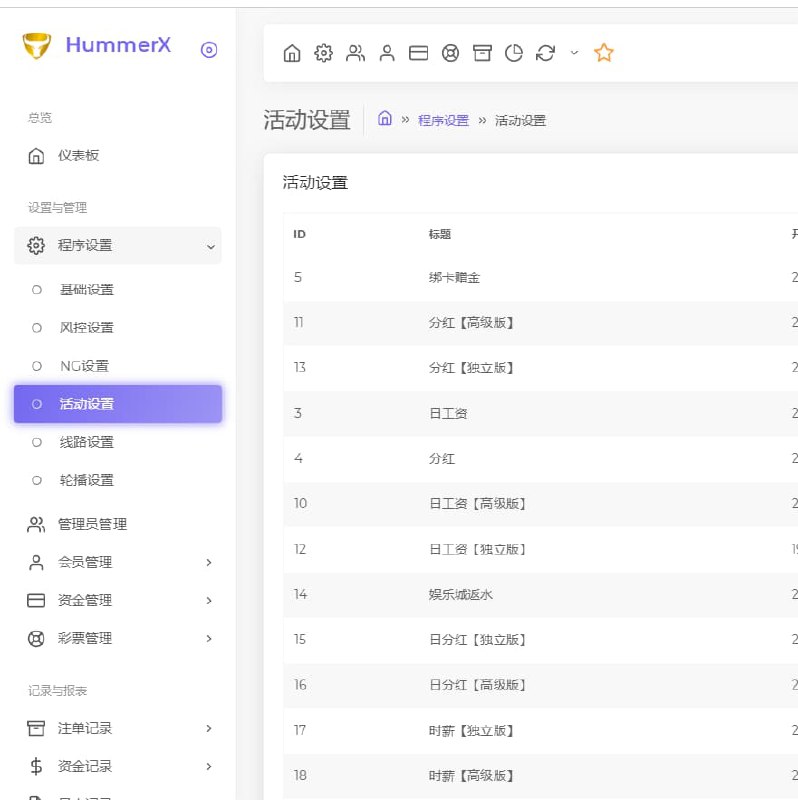
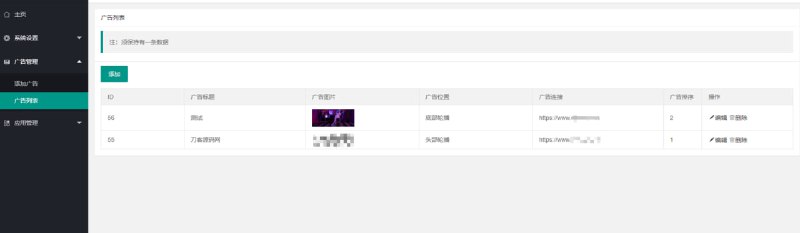
I clicked through the backend features one by one:
· User management: registration, bans, and hierarchy relationships all clearly laid out;
· Agent system: a three-tier commission structure with adjustable ratios;
· Data dashboard: transaction statistics and daily active user curves, with charts built on echarts;
· Interface configuration: standard integration slots for payment interfaces, and the test environment can switch directly to a simulated payment channel to run the full flow.

Deployment Essentials: Environment, Parameters, and Pitfall Log
My environment was CentOS 7.9 + Nginx 1.22 + PHP 7.4 + MySQL 5.7, installed via the BT panel. Dual-platform means the Android client and the H5 client—the Android source is an Android Studio project, while the H5 client just needs to be dropped onto the server to run.
Pitfalls You Must Watch Out For
1. When importing the database, make sure the character set is utf8mb4. My first import used utf8 and all the emojis in user nicknames turned into question marks—I had to roll back and re-import.
2. The default admin login path is /admin. The first thing to do after deployment is change the path and add an IP whitelist. Don’t be lazy about this.
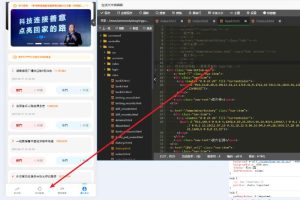
3. When packaging the Android client, remember to globally replace the package name. There’s one hardcoded server address buried in an assets config file—not all configuration lives in the backend. That one took me nearly an hour to find.
4. Scheduled tasks must be hooked into crontab. The settlement and floor logic depend on a per-minute cron script; skip this step and the data dashboard will never update.

Performance
On a 2-core 4GB test machine, running 100 simulated concurrent users on the H5 client kept CPU usage around 40%, with average API response times under 200ms. It’s fully sufficient for small-scale demos and testing; if you expect real load, add caching and database sharding.
Who This Is For
· Developers who want to study random number and dealing algorithms—17 modules means 17 sets of algorithm samples;
· Teams building gamified operations systems—the task distribution, agent commission, and transaction statistics framework can be reused directly;
· Beginners practicing secondary development—the project files are complete, comments are relatively thorough, and it’s far more efficient than building from scratch.
It’s not a good fit for people with zero backend experience. This system involves dual-platform integration and scheduled tasks, and deploying it without fundamentals will be a struggle.

Tip: The value of this source code lies in its engineering completeness and the researchability of its algorithms. Get the H5 client running first, then explore the backend. Before any secondary development, make sure you fully understand the database structure and scheduled task logic—it’ll save you a lot of detours.
FAQ
Q: I have no Android development experience—can I still deploy both platforms?
A: The H5 client has zero barriers. The Android client only requires basic Android Studio operations: change the package name, sign it, and build. Get those three steps done and you’re set—there are plenty of tutorials online.
Q: Is the payment interface ready to use?
A: What’s included is a standard integration reel simulation plus a simulated channel. In a demo environment you can run simulated payments directly. For production integration you’d need to apply for a compliant channel yourself and fill in the parameters per the documentation.
Q: How hard is secondary development? How’s the code quality?
A: The layering is fairly clear—the H5 frontend uses a common MVC structure, and the backend APIs have comments. The tricky parts are the floor logic and scheduled tasks; I’d recommend drawing a flowchart before touching the code.
Q: Can it be used for commercial operations?
A: This system is only suitable for technical learning, algorithm research, and lawful demonstration scenarios. Deployment and use must comply with applicable laws and regulations, and any unlawful use is prohibited. Please verify your local policies before deciding how to use it.
Disclaimer: This article is for technical education and demonstration only. It is not professional or financial advice. Any real-world deployment must comply with applicable laws and regulations.
#source code setup #tabletop simulation #dual-platform deployment #secondary development research #deployment notes
-
 Alipay QR Code Scan
-
 WeChat Scan Pay