WoShop Multi-Vendor Cross-Border E-Commerce Source Code Deployment: ThinkPHP & UniApp Mall Setup Guide
WoShop Multi-Vendor Cross-Border E-Commerce Source Code Deployment: ThinkPHP & UniApp Mall Setup Guide
Disclaimer: This article is for technical education and demonstration only. It is not professional or financial advice. Any real-world deployment must comply with applicable laws and regulations.
A few weeks ago, a friend running an independent foreign trade site reached out to me. He wanted to build a cross-border e-commerce mall that supports multiple vendor onboarding. He had been using SaaS platforms before, but the monthly commissions were eating into his margins, and not having full ownership of his customer data always made him uneasy. After tinkering for a few days, I helped him deploy this fully open-source WoShop multi-vendor cross-border e-commerce system. While the details are still fresh in my mind, I put together this deployment log and troubleshooting guide as a reference for anyone looking to build their own international online store.
1. Technical Architecture and First Impressions of the Source Code
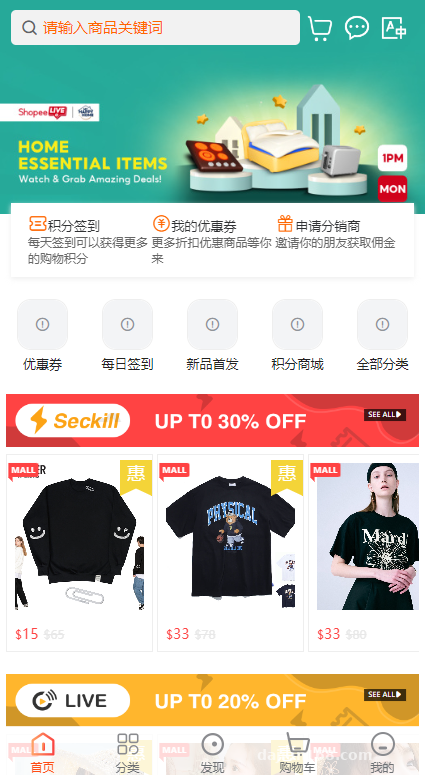
When I first unpacked the source code archive, I went straight to the directory structure. It uses a standard decoupled front-end and back-end architecture. None of the code is encrypted, which is a huge relief for developers who need to do custom secondary development. Here is the specific tech stack:
- Back-end Framework: Built on ThinkPHP. The code structure is clean, and any webmaster familiar with PHP can figure out the business logic just by glancing at the controllers.
- Mobile Front-end (Buyer App + Seller App): Both of these are written in UniApp. A single codebase can be compiled directly into an H5 mobile site, mini-programs, or packaged as native Android and iOS apps, saving the cost of hiring dedicated native mobile developers.
- PC Web Front-end: Constructed using the Vue framework. Page transitions are smooth without the clunky full-page reloads of traditional websites.
For many people running cross-border businesses, mobile adaptation and vendor management are the biggest headaches. This system separates the merchant portal into its own standalone UniApp project. Vendors can process orders, list products, and check revenue reports right from their phones, which makes it very practical for day-to-day operations.
2. Hands-On Testing of Core Modules
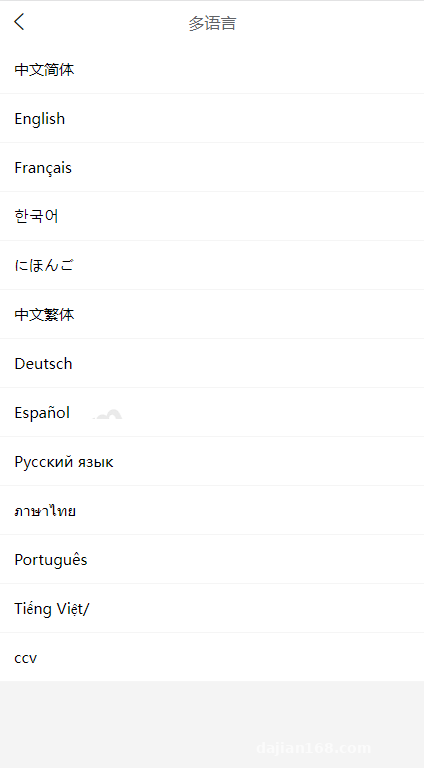
1. Multi-Language and Internationalization (i18n)
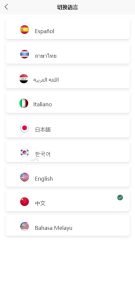
For cross-border e-commerce, multi-language support is an absolute must. In the admin panel’s language pack manager, the system comes with built-in switching logic for multiple languages. Both the UniApp and Vue front-ends are configured with i18n internationalization. During testing, I switched between English and Traditional Chinese—not only did the navigation menus change, but pop-up alerts and status messages returned by the back-end also translated properly. If you need to add minor languages later, you just edit the corresponding JSON files in the language directory.
2. International Payments and Cross-Border Logistics
Collecting payments and shipping orders internationally are critical. The source code includes a payment plugin module integrated with common international payment gateways. In our staging environment, we mainly tested the sandbox modes for PayPal and Stripe. The callback logic is rock solid, and order status updates happen almost instantly. On the logistics side, it supports international courier APIs, allowing buyers to track their cross-border parcel movements directly from the front-end interface.
3. Promotional Features and Content-Driven Commerce
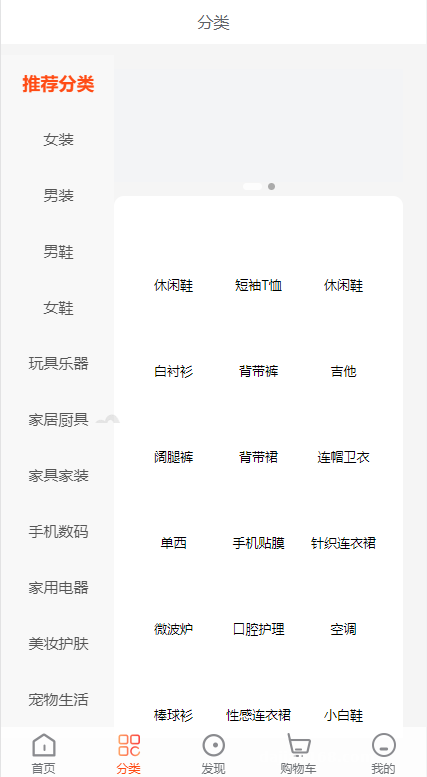
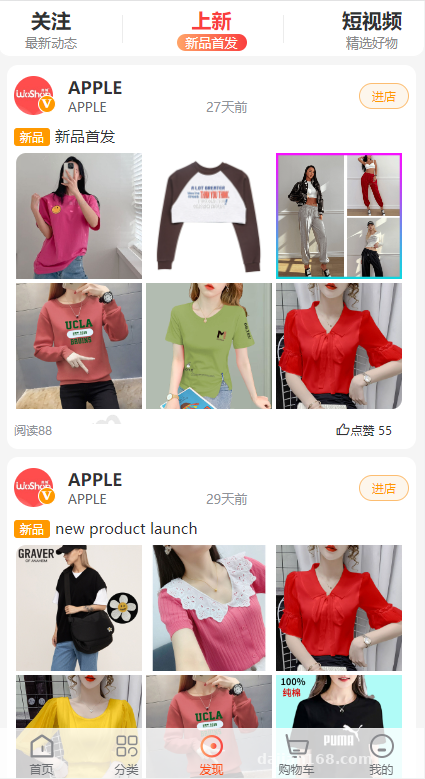
Beyond basic buying and selling, the system brings over mature e-commerce promotional mechanics. It includes standard features like points redemption, group-buying discounts, and multi-tier referral programs. What surprised me most was the built-in short video and live-streaming shopping module. When vendors post outfit ideas or product review videos, they can attach product links directly to the screen. This kind of social commerce model is gaining serious traction in overseas markets right now.
Webmaster Pro Tip: If you plan to enable the live streaming and short video features, never store video files directly on your main application server! Make sure to configure third-party cloud storage in the admin panel (such as Alibaba Cloud OSS, AWS S3, or Tencent Cloud COS) along with CDN acceleration. Otherwise, just a handful of concurrent users watching videos will completely max out your server bandwidth.
3. Server Environment Setup and Deployment Key Points
I used the aaPanel (Baota) control panel for the entire deployment process. Setting up the environment took about half an hour. Here are my recommended server specifications:
- Operating System: CentOS 7.9 or Ubuntu 20.04 (Linux is strongly recommended; running PHP on Windows always feels sluggish).
- Web Server: Nginx 1.20
- Database: MySQL 5.7 (Make sure to select
utf8mb4as the character set, otherwise the database will throw errors whenever international customers enter emojis). - PHP Version: PHP 7.3 or 7.4. You must install the Redis and
fileinfoextensions, and remove disabled functions likeputenvandproc_openfrom your PHP configuration.
Deployment Troubleshooting Notes:
After uploading and extracting the back-end code, remember to point your site’s root directory to /public and configure the standard ThinkPHP URL rewrite rules. Once the database is imported, open the .env file or config/database.php to update your database connection credentials.
Compiling the front-end requires HBuilderX and a Node.js environment. Open the UniApp source directory in HBuilderX, and first change the API request domain in the configuration file to your own back-end domain (make sure you have an SSL certificate installed and HTTPS enabled, as modern mini-programs and mobile apps strictly require encrypted connections). When building the H5 version, check the routing mode. If you use history mode, you will need to add a fallback forwarding rule in Nginx to prevent 404 errors when refreshing pages.
4. Frequently Asked Questions
Q: Does this system require high-end server hardware? What specs are good for getting started?
A: When you are just starting out and only running the H5 and PC web versions, a 2-Core 4GB cloud server is plenty for testing. However, once you go live in production with message queues, Redis caching, and multiple vendors online simultaneously, I recommend starting with at least a 4-Core 8GB setup, a minimum of 5Mbps bandwidth, and a CDN hooked up from day one.
Q: Is the source code truly 100% open-source? Can I customize the UI or integrate a local payment gateway later?
A: I went through all the files myself—there are no encrypted controllers or obfuscated front-end scripts. As long as you know your way around ThinkPHP and Vue/UniApp, changing UI color schemes, tweaking the homepage layout, or writing a new payment callback controller based on third-party API docs is completely doable.
Q: Is it complicated to package the mobile front-end into native apps? What do I need to prepare?
A: Not at all. You can use the built-in cloud packaging feature right inside HBuilderX. That said, if you plan to publish the app on the Apple App Store or Google Play Store, you will need to prepare your own developer accounts and signing certificates ahead of time. If it is just for internal testing, generating an Android APK takes only a few minutes.
Disclaimer: The source code deployment process documented in this article is for technical education and software architecture study only. When operating any e-commerce system, please ensure full compliance with local laws and regulations.
Disclaimer: This article is for technical education and demonstration only. It is not professional or financial advice. Any real-world deployment must comply with applicable laws and regulations.
#Cross-Border E-Commerce Source Code #Multi-Vendor System #UniApp Development #ThinkPHP Mall #Independent Store Setup
-
 Alipay QR Code Scan
-
 WeChat Scan Pay