Overseas Order-Snatching & Brushing System Deployment Log: uniapp Frontend + PHP Backend Notes
Overseas Order-Snatching & Brushing System Deployment Log: uniapp Frontend + PHP Backend Notes
I recently helped a friend in cross-border e-commerce deploy an overseas order-snatching and brushing system. The frontend was built with uniapp for multi-language support, while the backend runs on pure PHP, with the entire UI customized to his specifications. The whole process took roughly a week, with most of the time spent on backend logic tuning and organizing the frontend language packs. Below, I’ve compiled the functional highlights and pitfalls encountered during this build to serve as a reference for anyone with similar needs.
This system takes a completely different approach from the domestic brushing setups I’ve worked with before. It’s designed for users across multiple overseas markets, so everything from the UI style to the payment channels had to be redesigned from scratch. After getting the source code, I first set up a local test environment to confirm everything worked, then pushed it to the production server. I’ll break the discussion down into a few sections below.
1. Functional Testing: What This System Can Actually Do
Let me walk through the core features first. These are all things I’ve actually clicked through and run on the backend, not imagined from reading the documentation.
1.1 Group-Based Order Routing and Consecutive Order Control
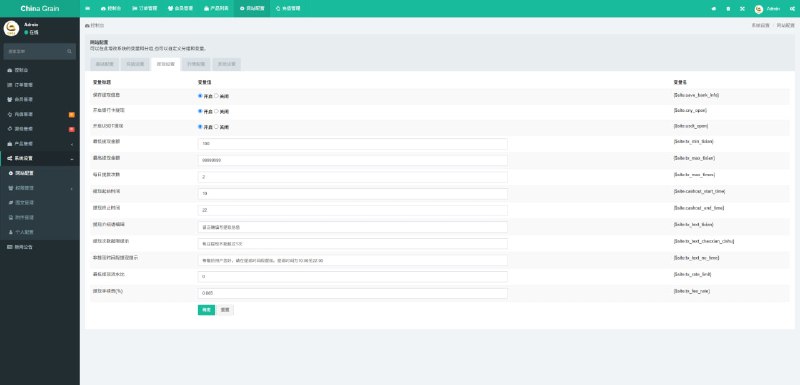
Group-based order routing is the most interesting feature of this system. The admin panel lets you create multiple groups, each with independent order parameters. For example, Group A can be dedicated to running small-value orders from new users, while Group B focuses on repeat orders from returning customers. Combined with consecutive order control, you can set triggers such as “release a reward after a user places 3 orders in a row” or “only release an order once consecutive order value accumulates to a certain threshold.” This logic lives in the order scheduling layer of the PHP backend and is fairly clearly written — you can find the corresponding controller files when doing secondary development.
1.2 Percentage and Fixed-Value Hybrid Configuration
Every task supports three parameter modes: pure percentage, pure fixed value, or a hybrid of the two. For instance, you can set the brushing order amount to “80% of the real order amount ± $5 float,” which is extremely useful for simulating genuine user behavior and prevents all brushing records from showing identical amounts.
1.3 Recharge Bonus Module
The backend has a dedicated bonus configuration entry where you can set recharge bonus ratios, such as “deposit $100, get $10 bonus” or “double the amount on first deposit.” Bonuses come with usage thresholds and expiration limits. The database table design is quite reasonable, and the frontend uniapp modal components simply call the API directly.

1.4 Multi-Language Switching
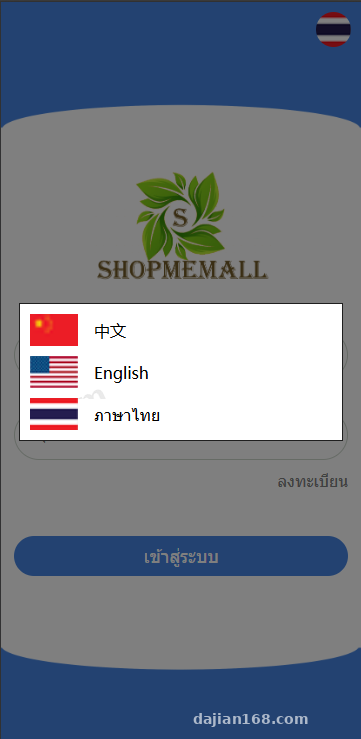
The uniapp frontend comes with built-in language packs, defaulting to English, Indonesian, Vietnamese, and Thai for Southeast Asian markets. Adding a new language only requires copying a JSON file in the lang directory and editing the text — no need to touch the component code. I added Arabic for my client since his Middle Eastern user base was growing. Arabic text is displayed right-to-left, and uniapp’s rpx layout handled this reasonably well.
Highlight: The biggest time-saver with this system is its clean separation of frontend and backend. The H5 and mini-program builds compiled from uniapp share the same set of API endpoints. The PHP backend only handles data responses, so styling changes on the frontend never require touching a single line of backend code. It’s very developer-friendly for secondary development.
2. Deployment Essentials: Environment Configuration and Pitfalls
The deployment itself isn’t complicated, but there are a few details that, if not handled upfront, will cause major headaches after going live. Here are the pitfalls I ran into.
2.1 Server and PHP Version
I recommend going with PHP 7.4 or 8.0, and MySQL 5.7 or higher. I initially used 7.2 to save time, which resulted in a bunch of deprecation warnings popping up in one of the backend export functions. They didn’t affect functionality but were an eyesore. Redis is highly recommended — the order queue relies on it, and the cache hit rate improvement is noticeable.
2.2 Pseudo-Static Rules and Directory Permissions
The backend is built on a modified version of the ThinkPHP framework (judging from the directory structure and namespaces), so pseudo-static rules need to be configured properly. On Nginx, pathinfo must be enabled. The runtime, upload, and log directories all need write permissions — without them, the backend won’t even be able to upload images.
2.3 uniapp Frontend Packaging
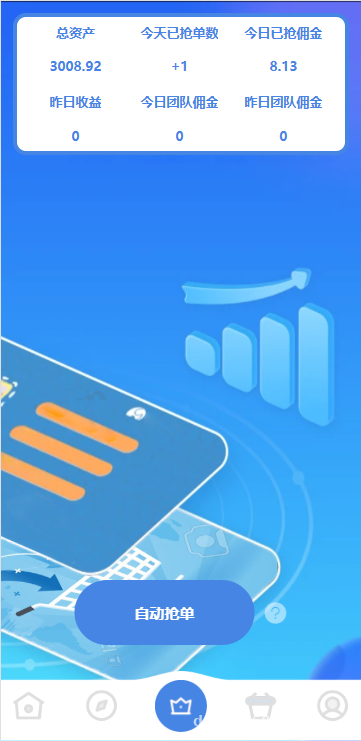
Open the frontend source code in HBuilderX, first update the API domain in manifest.json, then go to the config folder and replace the API address with your backend domain. Language files live in static/lang, one JSON file per language. When adding a new language, remember to register it in the languageList array of lang.js, otherwise it won’t appear in the language switcher. To build an H5 package, go to Publish → Website-PC, then drop the compiled dist directory into your Nginx configuration on the server.
2.4 Payment API Integration
The source code ships with integration slots for several overseas payment channels — the specific one to integrate depends on the client’s target market. For this project, I integrated a popular Southeast Asian e-wallet and a local bank card acquiring channel. After reading through the integration documentation, the main thing to watch out for is the signature algorithm. The callback URL must use HTTPS, otherwise the payment provider will reject the callback.
3. Target Audience and Use Case Analysis
This source code isn’t a one-size-fits-all solution. Based on my experience, here’s my assessment of which projects it’s suitable for and which I’d advise against.
Suitable scenarios: Cross-border e-commerce standalone sites that need to build up baseline sales volume and reviews; operations teams managing overseas social platform account matrices (TikTok, Instagram, etc.) that need to simulate authentic interactions; and overseas gambling and betting projects that need to generate data atmosphere (this is a grey area, so I won’t go into detail).
Unsuitable scenarios: Operations for high-ticket items that demand completely authentic user behavior, because even the most convincing machine-generated patterns can still be detected; projects targeting only the domestic market, since this system is entirely designed around overseas user habits, and the multi-language support and payment channels serve no purpose for domestic projects.

4. Secondary Development Recommendations
If you plan to build on top of this source code, here are a few suggestions: First, avoid touching the backend order scheduling logic — that’s the core. Changing a single parameter incorrectly can cause entire group tasks to go haywire. Second, feel free to redesign the frontend UI. uniapp components are fully modular, so skin changes don’t involve business logic. Third, if you need to add a new payment channel, simply extend the existing Payment controller as a subclass — the signature verification is already encapsulated by the framework.
Frequently Asked Questions
Q: How demanding are the server requirements for this system?
A: It depends on concurrency. For a few hundred concurrent users in the early stage, a single 2-core 4GB cloud server is enough, especially after Redis caching is added. Once you exceed 10,000 users, I’d recommend load balancing — the order scheduling layer is CPU-intensive and a single machine won’t handle high concurrency.
Q: Can the uniapp frontend be compiled into a native app?
A: Yes. In HBuilderX, go to Publish → Native App-Cloud Build and configure your app icon and splash screen. One thing to note, though: Apple’s App Store review is strict with utility apps like this, so avoid overly explicit descriptions in the listing. Android, on the other hand, has no such restrictions.
Q: Is it difficult to add a new language to the multi-language support?
A: Not at all. Just copy en.json, translate it into your target language, add a key in the languageList, and the new language will automatically appear in the switcher on the frontend. For right-to-left languages (such as Arabic or Hebrew), you’ll need to add dir=”rtl” to the global styles.
Q: How do I reset the backend admin password if I forget it?
A: Go directly into the database, find the admin table (usually fa_admin or a similarly prefixed name), and replace the password field with the framework’s default encrypted string — for example, “c4ca4238a0b923820dcc509a6f75849b” corresponds to “1”. Then log in with admin/1 and change the password from there.
Q: Can the tasks in the group routing feature be scheduled to start automatically?
A: Yes. The backend has a scheduled task configuration entry. Combined with Linux crontab or the framework’s built-in scheduled task component, you can trigger group tasks to run in batches by hour or by day.
#Overseas Brushing System #uniapp Source Code #PHP Deployment Notes #Multi-language Frontend #Brushing System Setup
-
 Alipay QR Code Scan
-
 WeChat Scan Pay