Board Game Demo Platform Source Code Setup Guide: PHP Backend Deployment Notes
Board Game Demo Platform Source Code Setup Guide: PHP Backend Deployment Notes
Disclaimer: This article is for technical education and demonstration only. It is not professional or financial advice. Any real-world deployment must comply with applicable laws and regulations.
Recently I helped a client who runs offline board game promotion deploy a board game demo platform — the Zhiji operations edition from Tuyou Times. The client’s requirements were clear: an interactive demo site for driving foot traffic to their store, one that runs smoothly, has a manageable backend, and is easy to extend later. It took me two days of tinkering, and I’ve written down all the pitfalls I hit as a reference for anyone planning to set up the same system.
Bottom line up front: the source code structure is fairly clean — lobby categories, game modules, and backend admin are separated into three layers. Deployment difficulty is moderate; most of the work is in environment setup and parameter verification.
1. Feature Testing: How the Lobby Categories and Game Modules Perform
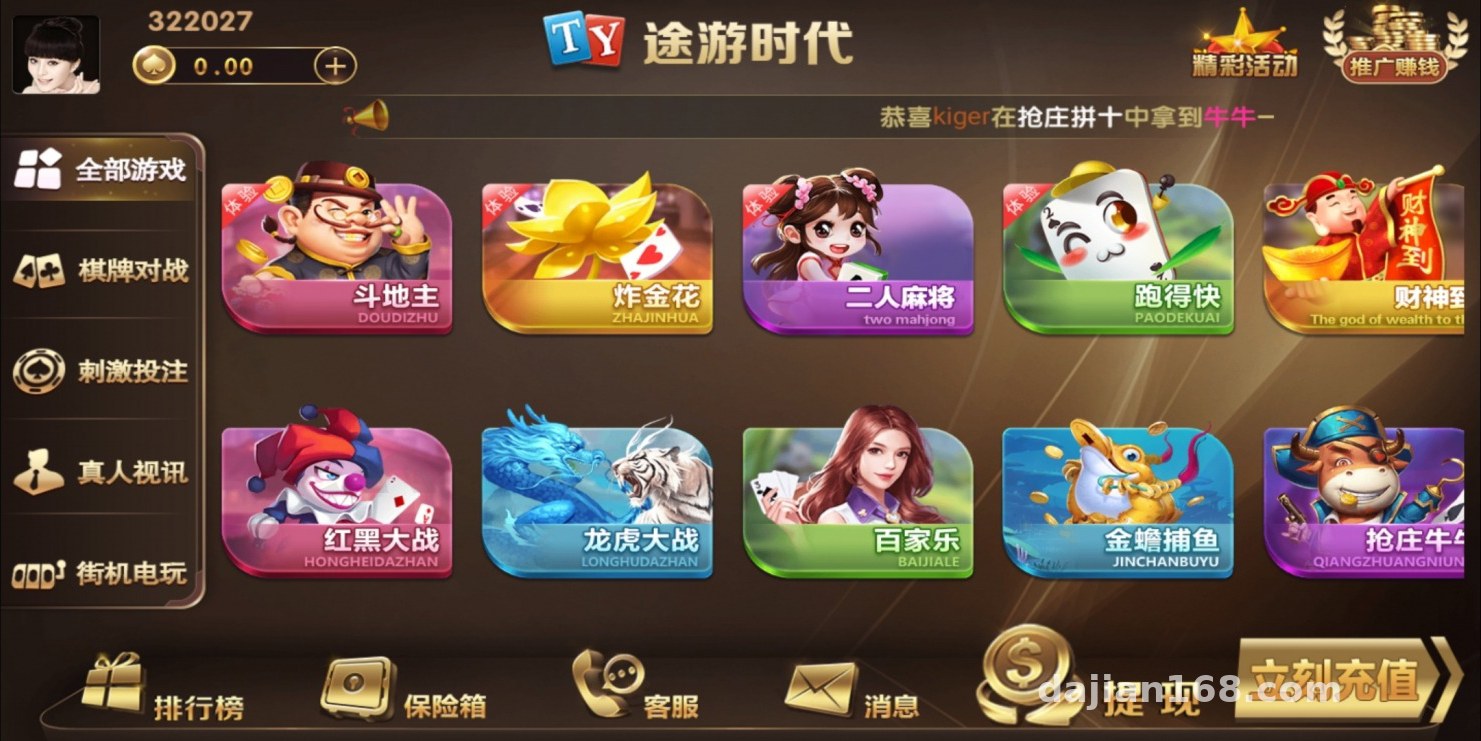
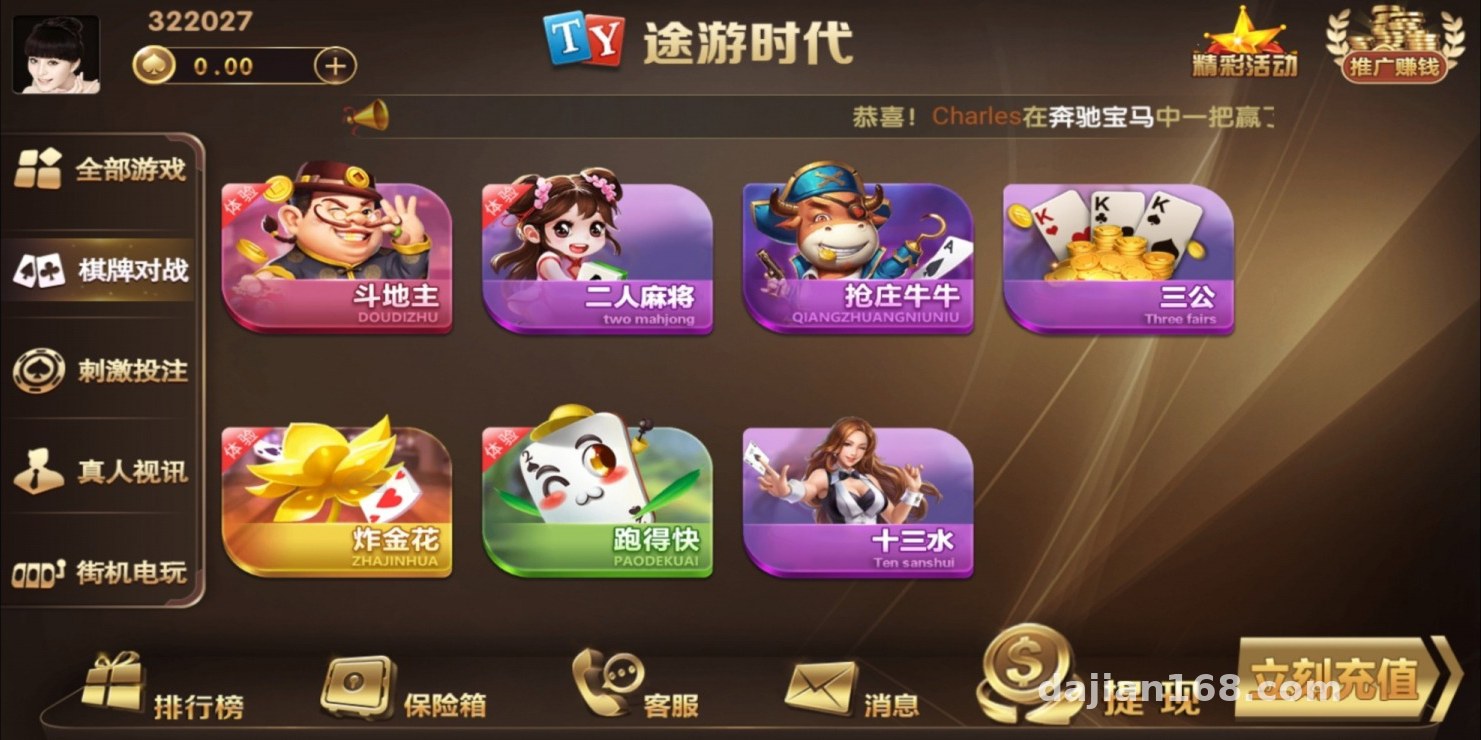
After installation, I went through the lobby first. The game categories fall into a few main groups:
Card Simulation Modules
card simulation simulation, Zha Jinhua demo, two-player card games, and solitaire-style simulations — all purely demo-grade random number logic with an H5 interface. Mobile performance is decent. I stress-tested it on a 2-core 4GB test machine: around 50 concurrent users with no dropped frames, which is plenty for a personal demo site.
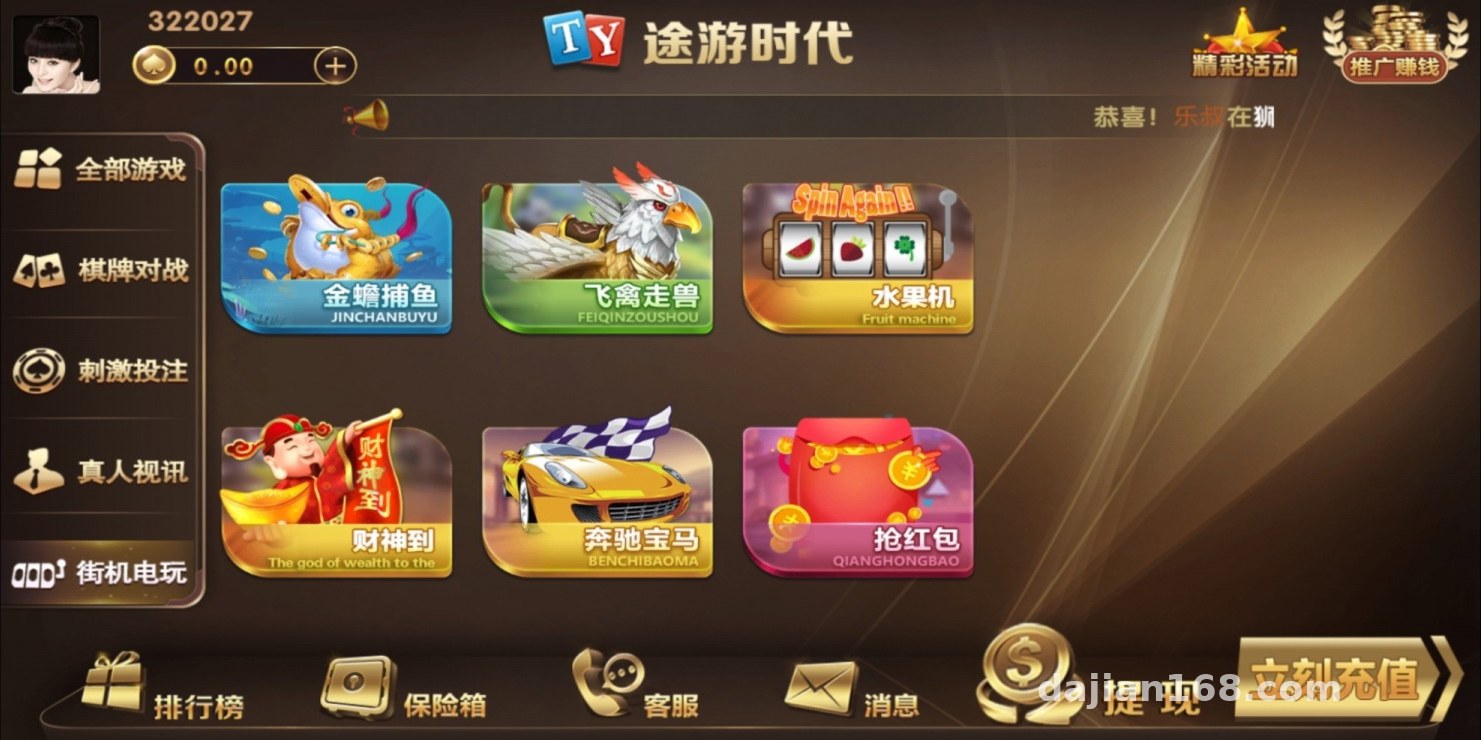
Casual Simulation Modules
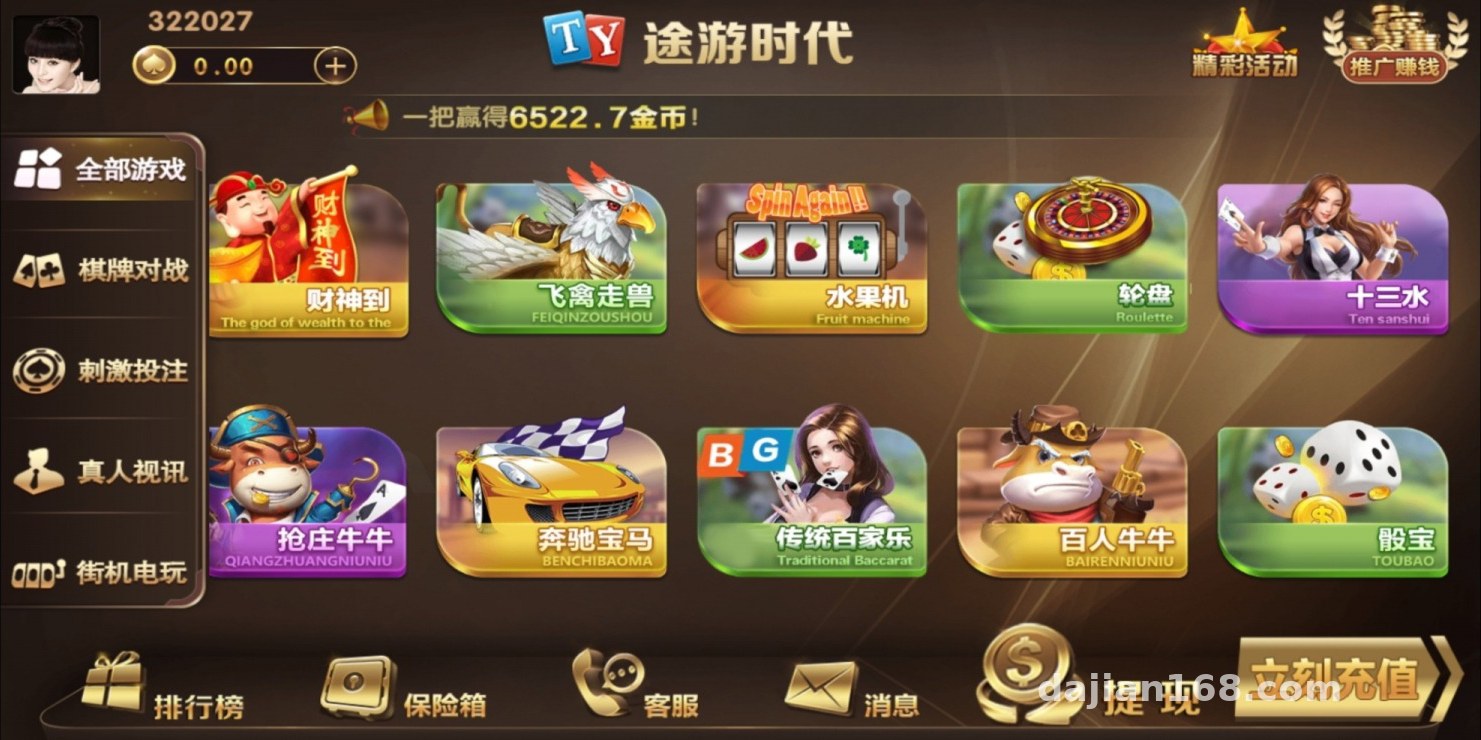
Games like Fortune God, Golden Toad Fishing, Fruit Machine, Bird-and-Beast, and Luxury Cars are points-based simulation games built on a virtual points system. The backend lets you set initial points and point caps, which is very convenient for running promotional demos.
Multiplayer and Live-Stream Modules
The live video module requires connecting a streaming source; the client didn’t need it for now, so I only got the framework running. Multiplayer demo games like Dragon-Tiger, Red-Black, Baccarat, Niu Niu series, Thirteen Waters, Sic Bo, and Roulette all share the same points settlement interface — changing one template file reskins them all, which keeps secondary development costs low.
2. Deployment Essentials: Pitfalls in Environment and Parameter Configuration
Environment Setup
I used an LNMP stack: Nginx 1.22 + PHP 7.4 + MySQL 5.7. Remember to enable the fileinfo and redis extensions in PHP, or the backend captcha and caching will throw errors right away. For URL rewriting, the ThinkPHP rules worked on the first try.
Payment Interface Integration
The payment module is a reserved interface. For a demo scenario, I recommend disabling real payments entirely and using the backend’s virtual points top-up feature instead. If the client later wants to integrate a third-party payment provider for membership top-ups, it’s just a matter of editing the merchant parameters in the config — but make sure to sign a proper agreement and use a compliant channel.
Backend Controls
The default backend path is /admin. The first thing to do after installation is change the path and set a strong password — make this a habit. The backend controls quite a lot: game toggles, points ratios, bot counts, announcement pushes, and agent tiers. I tuned the bot parameters once, lowering the participation ratio so the demo site looks more natural.
Multi-language and Frontend
It ships with Simplified/Traditional Chinese switching; language packs live in the application/lang directory. To add an English pack, just drop in a JSON file and it takes effect. The frontend is responsive and adapts fine when opened in WeChat.
Highlight: the game modules use a plug-and-play design — each game has its own independent directory, and removing unused modules doesn’t affect the lobby. Per the client’s needs, I kept only six demo modules, which cut the package size roughly in half.
3. Who It’s For and Secondary Development Tips
This system suits three types of people: operators running board game stores or offline events who want an interactive demo; developers who want to learn game backend architecture — the code comments are fairly complete and the settlement logic is worth reading; and teams doing mini-program/H5 outsourcing who need fast reskin-and-deliver workflows.
Secondary development advice: the game configuration table and user points table in the database are the core. Always back them up before making changes. The first time I modified the points settlement I skipped the backup, and the rollback took half an hour — a painful lesson. Also, put a CDN in front of the server, and if you enable the live-stream module, budget at least 10M bandwidth.
FAQ
Q: What’s the minimum server configuration?
A: For demos, 2 cores / 4GB RAM with 5M bandwidth is enough. For over a thousand users, go with 4 cores / 8GB plus caching.
Q: Can I change the game interfaces and names?
A: Yes. Each game module has its own template directory — just edit the view files and language packs; the logic layer doesn’t need touching.
Q: Is the points system real?
A: By default it’s a virtual points demo system with no real funds involved. If you need membership features, integrate a compliant payment provider and follow local laws and regulations.
Q: The backend won’t open after installation — what should I do?
A: Nine times out of ten it’s misconfigured URL rewriting, or the wrong PHP version. This system requires 7.4; using 8.0 will throw compatibility errors.
Disclaimer: This source code is for technical education and lawful demonstration purposes only. Users must comply with applicable laws and regulations and must not use it for any illegal purposes.
Disclaimer: This article is for technical education and demonstration only. It is not professional or financial advice. Any real-world deployment must comply with applicable laws and regulations.
#Source Code Setup #Deployment Notes #Board Game Simulation #PHP Backend #Secondary Development
-
 Alipay QR Code Scan
-
 WeChat Scan Pay