Cross-Border E-Commerce Mall System Source Code Setup: Multi-Language Store, Payment Integration & Logistics Deployment
Cross-Border E-Commerce Mall System Source Code Setup: Multi-Language Store, Payment Integration & Logistics Deployment
Disclaimer: This article is for technical education and demonstration only. It is not professional or financial advice. Any real-world deployment must comply with applicable laws and regulations.
I recently helped a client deploy a cross-border e-commerce mall source code. The client focuses mainly on the Southeast Asian market, and the requirements were crystal clear: multi-language support, multi-currency, local payment channels, plus a complete membership marketing system. After comparing several options, we settled on this modular framework—the server core was rebuilt from a long-established room-based architecture, so the components are mature and run stably. It took about three days from start to launch, and I’m writing down the whole process for anyone with similar needs.

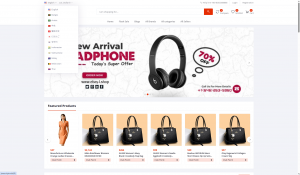
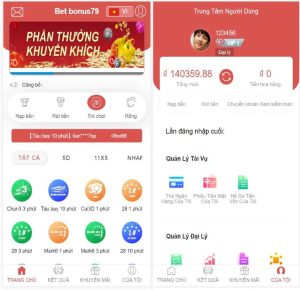
Feature Testing: Turning the Lobby into a Storefront Homepage
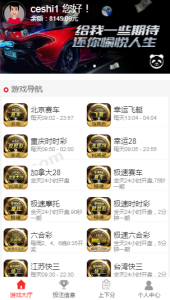
The original lobby structure of this source code was quite complete, so I converted it directly into the mall portal. The front-end menu kept six items: points mall, daily check-in, newcomer gift pack, sales ranking, redemption center, and referral sharing. This membership marketing module comes ready-made—easily two weeks of development work saved.
Highlight: The check-in, points, level, and referral sharing marketing loop is built into the system and configured through toggle switches in the admin panel—no code needed to get it running. For small and mid-sized teams taking on client projects, this part can be priced separately.
Four Product Zones
The system divides its business into four major sections, which I turned into four product zones: digital accessories, home essentials, beauty and personal care, and apparel accessories. Each zone has its own template and recommendation slots, and the admin panel lets you configure promotional spots individually. The original framework’s zoning logic is well thought out—sub-categories can hang under each zone, so expanding product lines doesn’t require touching the table structure.
Admin Panel Experience
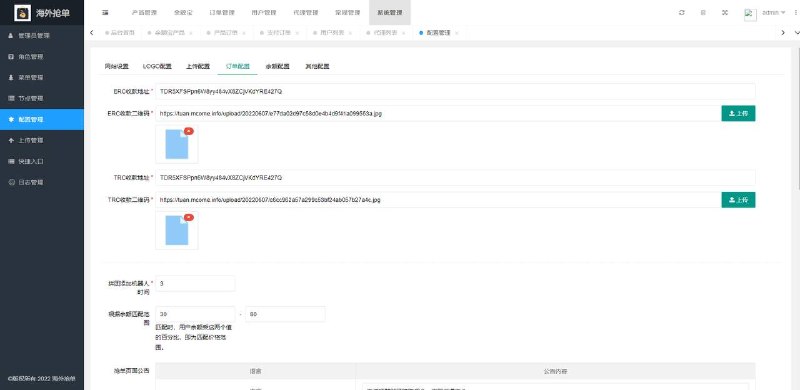
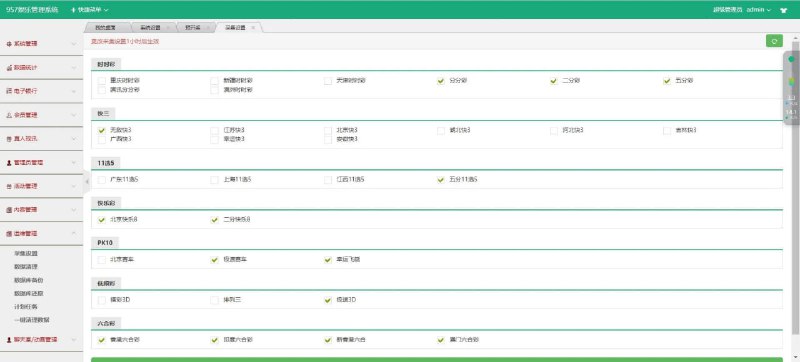
The admin panel follows a classic three-layer structure: system settings, business management, and data reports. Product listing and delisting, inventory, and SKU specifications all live under business management; the report module generates daily GMV, average order value, and repeat purchase rate. The one shortcoming is that permission granularity is a bit coarse—I had to reorganize the role groups before I felt comfortable creating accounts for the operations team.

Deployment Essentials: Environment, Payment, Multi-Language, and Logistics
Environment Setup
I went with CentOS 7.9 plus BT Panel (aaPanel), PHP 7.4 with MySQL 5.7, and Redis for caching. There’s also a Windows version of the server if that suits your team better. A 4-core 8GB machine with 5M bandwidth is a solid starting point—stress testing held up at 500 concurrent users without a hiccup. After importing the database, remember to change the character set in the connection config, or Thai text will turn into question marks.
Payment Gateway Integration
The admin panel ships with a payment gateway configuration page that supports international channels like PayPal and Stripe, plus a custom integration point for local e-wallets. Three pitfalls I hit during integration: the callback URL must be whitelisted; the signature uses MD5 with a timestamp, so keep the secret key in environment variables—never hardcode it into files; and asynchronous notifications need idempotent handling, or duplicate callbacks will scramble your order statuses.
Multi-Language Implementation
Language packs live in the lang directory in JSON format, and front-end templates load them automatically based on the language variable. I added Thai and Vietnamese packs—pretty painless. Currency switching goes through an exchange rate API, and the admin panel lets you manually lock rates. Settlement uses a snapshot taken at the moment the order is placed, which matters a lot for cross-border sellers.
Logistics Module
The system reserves a logistics tracking interface. I hooked it up to a tracking query API, so orders are traceable through the whole journey from pending shipment to in transit to delivered. Buyers can view the tracking map directly on their end, and after-sales inquiries dropped noticeably.

Customization Lessons Learned
There are only four core tables: user, goods, order, and pay_log. The field naming is a bit old-school, so make a full backup before touching anything. The client side was originally a hybrid of desktop program plus web pages; I rewrote the portal page as responsive H5, and mobile conversion improved noticeably. Also, rename and harden the default admin path, and add a login failure limit—this step is non-negotiable for source-code-based systems.
Who It’s For
Small teams with PHP basics who want to launch a cross-border mall quickly; projects that need a ready-made membership marketing system; and developers looking to practice customization on a mature framework. Complete beginners should pass—there’s no step-by-step documentation, and even modifying templates requires being able to read PHP and template engine syntax.

Frequently Asked Questions
Q: What’s the minimum server configuration to run it?
A: 2 cores and 4GB will get it running, but for production I’d suggest starting at 4 cores, 8GB, and 5M bandwidth. Deploying MySQL and Redis on the same machine reduces latency.
Q: Can I swap in my own payment channel?
A: Yes. The payment configuration page in the admin panel supports custom gateway parameters. The callback protocol documentation is in the docs directory—integrate according to the signature rules, and test everything in a sandbox environment before going live.
Q: How much work is it to add a new language?
A: Three steps: create a new language JSON file, enable the language in the admin panel, and the front-end switcher appears automatically. Untranslated strings in templates fall back to the default language, so no blank screens.
Q: Can the source code be customized and used commercially?
A: Modification and deployment are allowed within the scope of the license. Please use it in compliance with all applicable laws and regulations—this article is for technical education only.
Overall, this source code has a solid foundation with clean modular design—a good fit as a quick-start solution for a cross-border mall. If you run into issues during deployment, feel free to share in the comments.
Disclaimer: This article is for technical education and demonstration only. It is not professional or financial advice. Any real-world deployment must comply with applicable laws and regulations.
#cross-border e-commerce #mall source code #source code setup #multi-language store #payment integration
-
 Alipay QR Code Scan
-
 WeChat Scan Pay