Black UI Probability Simulation System Setup Log: PHP Deployment, Nginx Rewrites & Callback Integration Notes
Black UI Probability Simulation System Setup Log: Deployment Notes for a Random Number Demo Platform
Disclaimer: This article is for technical education and demonstration only. It is not professional or financial advice. Any real-world deployment must comply with applicable laws and regulations.
Last month I took on a project where the client wanted a black-UI probability simulation demo system. The core mechanic is a random number outcome (big/small, odd/even, specific values), paired with a simulated digital asset top-up flow. Once I got the source code, I spun it up on my own test machine right away. It took about two days end to end, and I hit quite a few snags along the way. This post follows my actual deployment order, walking through the feature testing, environment setup, admin controls, and directions for further development.
Part 1: Hands-On Testing — What This System Actually Does
The source code is written in PHP, with a black-theme frontend that’s responsive out of the box. After deploying, I went through every frontend feature:
1. The Core Mechanic Is Random Number Outcomes
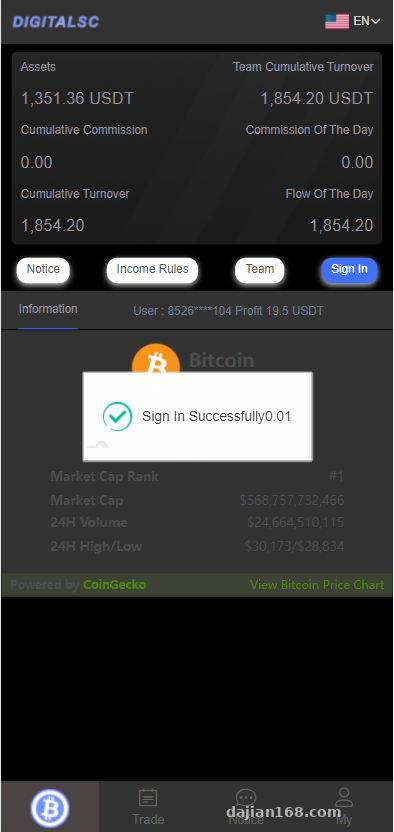
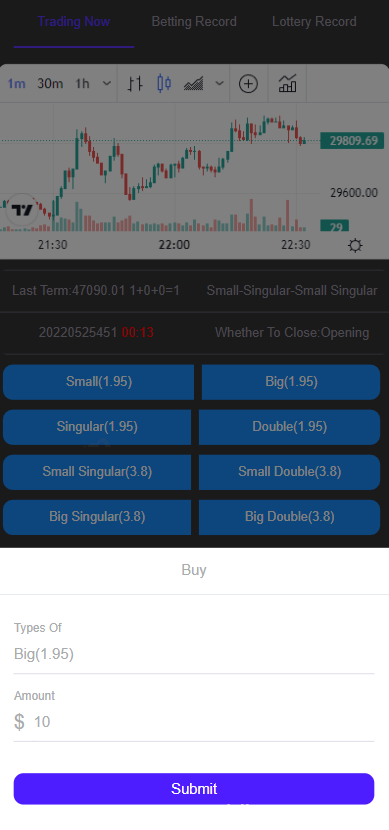
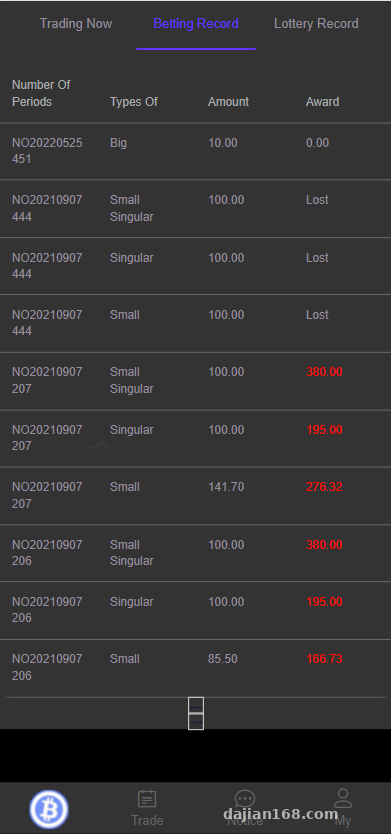
The system has a random number generator built on timestamp plus seed value logic. A user picks big/small, odd/even, or a specific value, submits, and the server returns a result in real time. I specifically tested the round frequency — under the default config it’s about one round every 3-5 seconds. That value lives in the config file and can be adjusted.
2. Digital Asset Demo Top-Ups
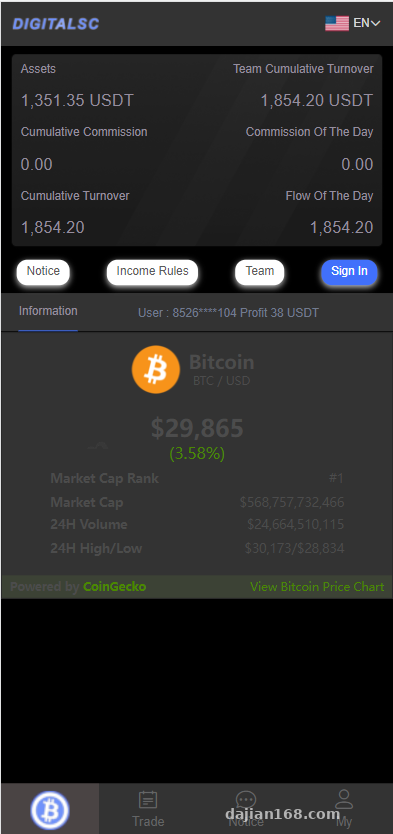
The top-up side runs through a USDT-style simulation interface. Once you fill in the callback URL and merchant parameters in the admin panel, the user side generates a simulated order number plus an amount QR code, and the arrival logic is completed by a backend-simulated callback. During testing I found that the callback signature verification step absolutely requires changing the key. If you forget to swap out the default key, you’ll get a “signature verification failed” message every time. I’ll dig into that pitfall later.
3. Admin Control Panel
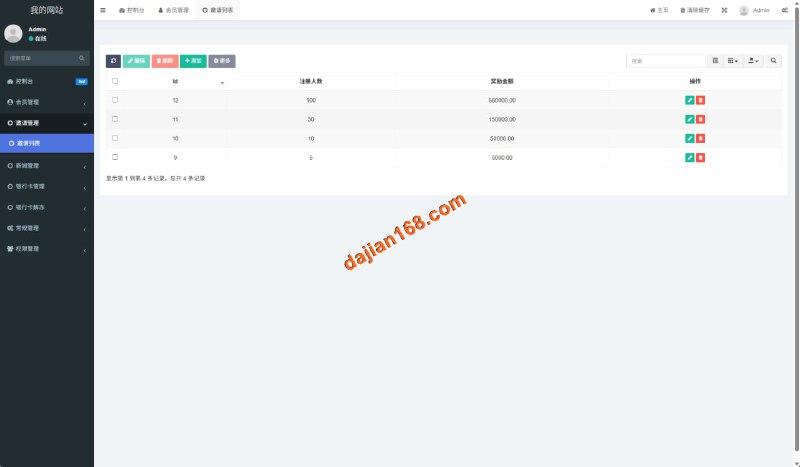
The admin backend can adjust quite a lot: user lists, simulated top-up orders, probability demo parameters, carousel images, announcements, rate ratios, and the withdrawal toggle. The UI is built with Vue, and the APIs are fully separated, so swapping the frontend later isn’t painful at all.
4. Basic Multi-Language Support
The language packs are standalone lang files. Chinese is the default; to add English or another language you just copy the directory and translate the entries. Frontend language switching is tracked via cookie.
Part 2: Deployment Notes — My Pitfall Log
My test machine runs CentOS 7.9 with aaPanel, PHP 7.4, and MySQL 5.7 — that combination works fine. The whole process breaks down into four steps:
1. Environment Dependencies
Stick with PHP 7.2-7.4. Don’t go to 8.0 or above — a few legacy code patterns in the source will throw Deprecated warnings or even Fatal errors. The openssl and curl extensions must be enabled, since the payment callbacks rely entirely on them. Import the .sql file into the database, then update the database credentials in the config directory to your own.
2. Rewrite Rules
Nginx needs rewrite rules to route all requests to the entry file. In aaPanel, just go to Site Settings → URL Rewrite and pick the thinkphp preset. Skip this and every frontend route will return a 404.
3. The Callback Signing Key Must Be Replaced
This was the biggest pitfall I hit. Right after the default installation, I tried topping up with a test account and the callback kept failing. After troubleshooting for ages, I realized the merchant_key in the config was still the sample value. The moment I swapped it for a randomly generated string of my own, everything went through instantly. My advice: do this as literally the first step after deployment.
4. Directory Permissions
The runtime and uploads directories need write permissions — 777 or 755 depending on your server setup. Otherwise the logs won’t write, and you’ll be staring blankly at errors with zero clues.
Highlight: this source code uses a frontend/API separated architecture, and the backend RESTful APIs are written fairly cleanly. If you want to redesign the UI or wire in your own business logic, just call the APIs directly — there’s no need to touch the core logic.
Part 3: Who Is This For & Directions for Further Development
Based on my experience, this system suits two kinds of people: those running teaching scenarios for probability simulation and random number algorithms, and developers who want to repurpose this framework into a points mall or task distribution system. Here are a few practical directions for customization:
- Replace the simulated top-up with a real points system — drop the currency logic and keep the order flow
- Add risk-control statistics and reports to the admin panel; right now it’s just simple lists
- The black UI can be swapped to a light theme entirely — the style files are cleanly separated
- Add API documentation at the interface layer to make integration with other clients easier
FAQ
Q: Can this source code run on PHP 8.0?
A: Not recommended. I ran into several compatibility issues in testing. Honestly, PHP 7.2-7.4 is the stable choice.
Q: The simulated top-up callback keeps failing — how do I troubleshoot?
A: Check in this order: is the callback URL reachable from the public internet, has the signing key been replaced, is the server firewall open, and has the panel security group allowed the relevant port. In my case, it was the key.
Q: Can it be turned into a multi-language site?
A: Yes. Copy the lang directory, translate the entries, and you’re mostly done — the frontend switching logic is already built in. You only need to supply the translation files.
Q: Is this source code suitable for a production commercial project?
A: It’s better suited as a learning, demo, and customization foundation. Before going live, I’d recommend a round of security hardening and load testing.
One last note, as always: this source code is for learning and technical research only. If you deploy it, please follow applicable laws and regulations, and do not use it for any unlawful purpose. Questions are welcome — most of the pitfalls I’ve hit are written up above.
Disclaimer: This article is for technical education and demonstration only. It is not professional or financial advice. Any real-world deployment must comply with applicable laws and regulations.
#source code deployment #PHP system #build log #custom development #API integration
-
 Alipay QR Code Scan
-
 WeChat Scan Pay