H5 All-in-One Table Game Source Code Deployment Guide: Unlicensed Build Notes & Admin Panel Debugging Tips
H5 All-in-One Table Game Source Code Deployment Guide: Unlicensed Build Notes & Admin Panel Debugging Tips
Disclaimer: This article is for technical education and demonstration only. It is not professional or financial advice. Any real-world deployment must comply with applicable laws and regulations.
I recently helped a client deploy an H5 all-in-one table game source code package. The whole thing took two days from start to finish, with a few pitfalls along the way, so I’m jotting everything down while it’s fresh. The package comes in two flavors: a fixed version and an unlicensed version. I installed both for comparison, and here’s how they actually performed.
Which Version: Fixed or Unlicensed?
Short answer: pick the unlicensed version for personal study and research, go with the fixed version if you just want things to work.
Fixed Version Hands-On
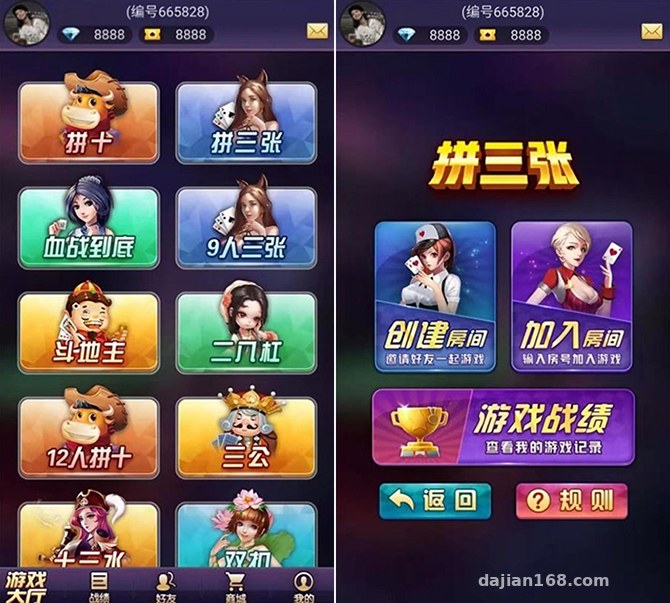
The fixed version ships with three table game modules: Niu Niu, Zha Jin Hua (three-card), and Er Ba Gang — all card-based probability demo games. The upside is that the code files have been cleaned up, and the three modules run noticeably more stable than the full set. The admin panel has a random number demo parameter section where you can adjust the simulated card-dealing probability distribution, and the scoreboard data display is fairly detailed — every round’s results, round counts, and point changes are all logged and queryable in the backend.
Unlicensed Version Hands-On
The unlicensed version is the one I’d recommend. The code isn’t encrypted, so you can modify the UI however you like — every front-end page is fully editable. It runs on Windows, which is a relief for webmasters who aren’t comfortable with Linux. The setup flow in a nutshell: install the environment → swap in your WeChat official account APPID and secret → replace the IP in the EXE config under the SERVER directory → start the service. Three steps and you’re running.
Deployment Essentials: Where Things Most Often Go Wrong
All my pitfall notes are here — follow along and you’ll save yourself some headaches.
Environment Setup
Windows Server 2019 worked fine in my testing. Plan for at least 2GB of RAM and 5Mbps+ bandwidth, or the H5 pages will feel sluggish. The EXE server needs to be launched with administrator privileges, otherwise the port binding fails and the front end just spins forever.
Official Account Integration
After replacing the APPID and secret, don’t forget to also configure the JS security domain in the official account backend — skip that step and you’ll get signature errors. My first deployment got stuck exactly there; it took me half an hour to figure it out.
Admin Control Panel
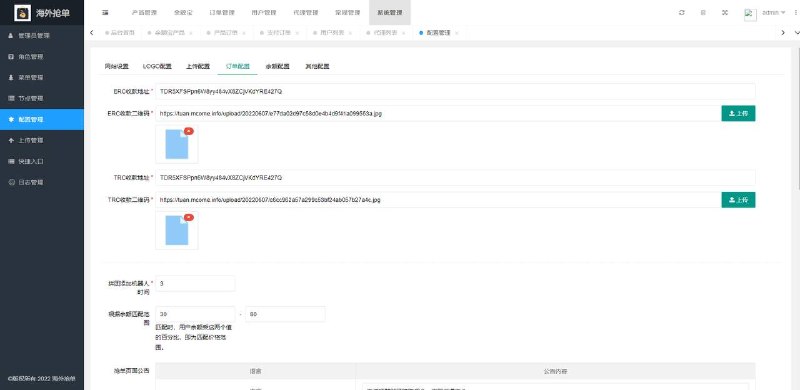
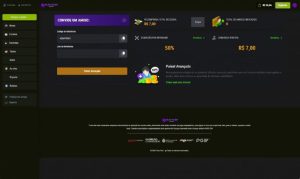
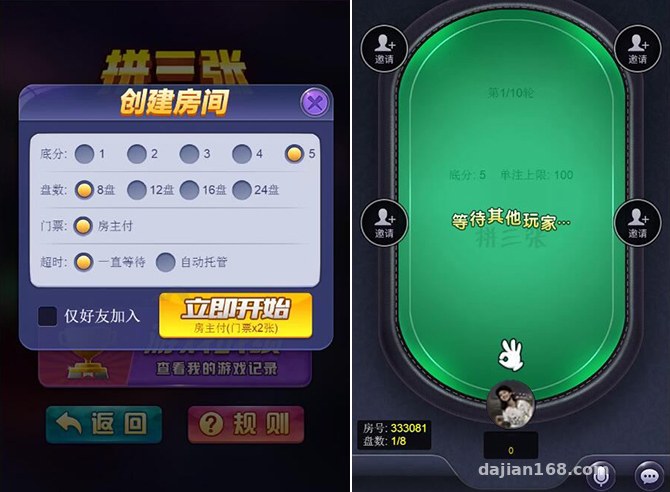
The backend has more features than I expected: user management, point transaction logs, dealing probability simulation parameters, room configuration, and announcement push — basically everything in one panel. Multi-language support is built in too; Chinese/English switching works out of the box, and for secondary development you just edit the language packs.
Tip: back up the original EXE file before editing the IP inside it. After editing, open it in Notepad to double-check the format — even one extra space can stop the service from starting.
Secondary Development: Room to Customize UI and Features
With the unlicensed version, the source is fully open, so there’s plenty of room for customization. The front end is H5 + JS; reskinning mostly means touching CSS and image assets, which isn’t hard. If you want to add a new game module, I’d suggest copying and adapting the existing card logic rather than writing from scratch — mismatched interfaces will make your life miserable. A payment interface reel simulation is reserved; you’ll need to integrate a legitimate, compliant channel based on your own business requirements, and in the test environment just get it working in sandbox mode.
Who This Is For
This source code suits three groups: developers who want to study H5 card game logic — the code structure is clean; teams building table game simulation demo projects — the admin parameters are rich; and webmasters who take on outsourced deployment work — Windows environment plus a simple setup means fast delivery. Note that this package may only be used for lawful technical study and demonstration purposes. Comply with all applicable laws and regulations, and never use it for anything illegal.
FAQ
Q: Can I set it up without an official account?
A: It will run, but the user system won’t work end to end. You can apply for a test account to get a temporary APPID and verify the flow first, then swap in the real one at launch.
Q: Where do I adjust the probability demo parameters in the fixed version?
A: There’s a dedicated parameter section in the admin panel, configured per room. Remember to restart the server after changes for them to take effect.
Q: Does it support mobile?
A: It’s H5 architecture to begin with — it opens directly in WeChat. I tested on both Android and iOS with no compatibility issues.
Q: How many rooms can one server handle?
A: With 2GB of RAM, 20 simultaneous rooms ran smoothly in my testing. Beyond that, I’d suggest upgrading the hardware.
Disclaimer: This article is for technical education and demonstration only. It is not professional or financial advice. Any real-world deployment must comply with applicable laws and regulations.
#H5 Source Code #Deployment Notes #Game Development #Source Code Setup #Secondary Development Tutorial
-
 Alipay QR Code Scan
-
 WeChat Scan Pay