App Packaging System Build Log: Auto Package Name Rotation, APK Signing & Upload Deployment Notes
App Packaging System Build Log: Auto Package Name Rotation, APK Signing & Upload Deployment Notes
Disclaimer: This article is for technical education and demonstration only. It is not professional or financial advice. Any real-world deployment must comply with applicable laws and regulations.
I recently helped a client who handles internal enterprise app distribution deploy an app packaging management system. The core requirements were just three things: it needs to package apps, upload APK files, and automatically rotate package names and signatures on a schedule to avoid the client app being flagged by endpoint security software. After two days of tinkering, I’m writing down all the pitfalls I hit, as a reference for webmasters with similar needs.
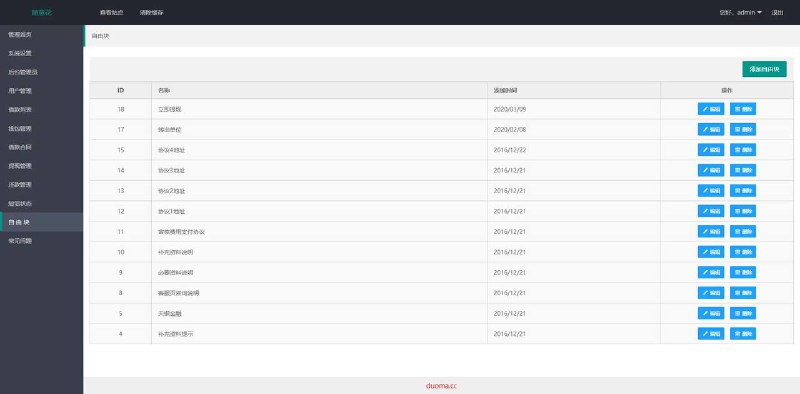
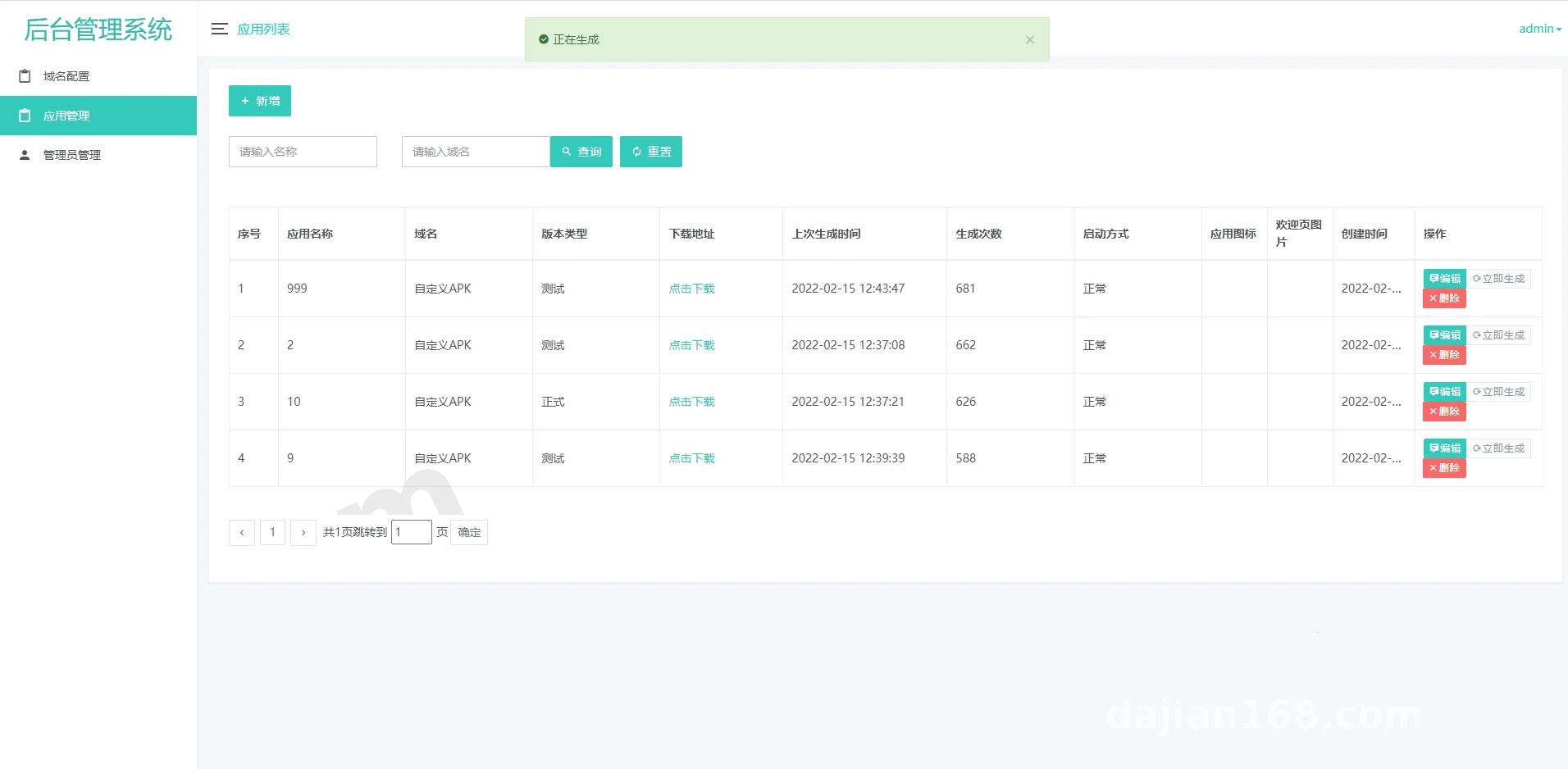
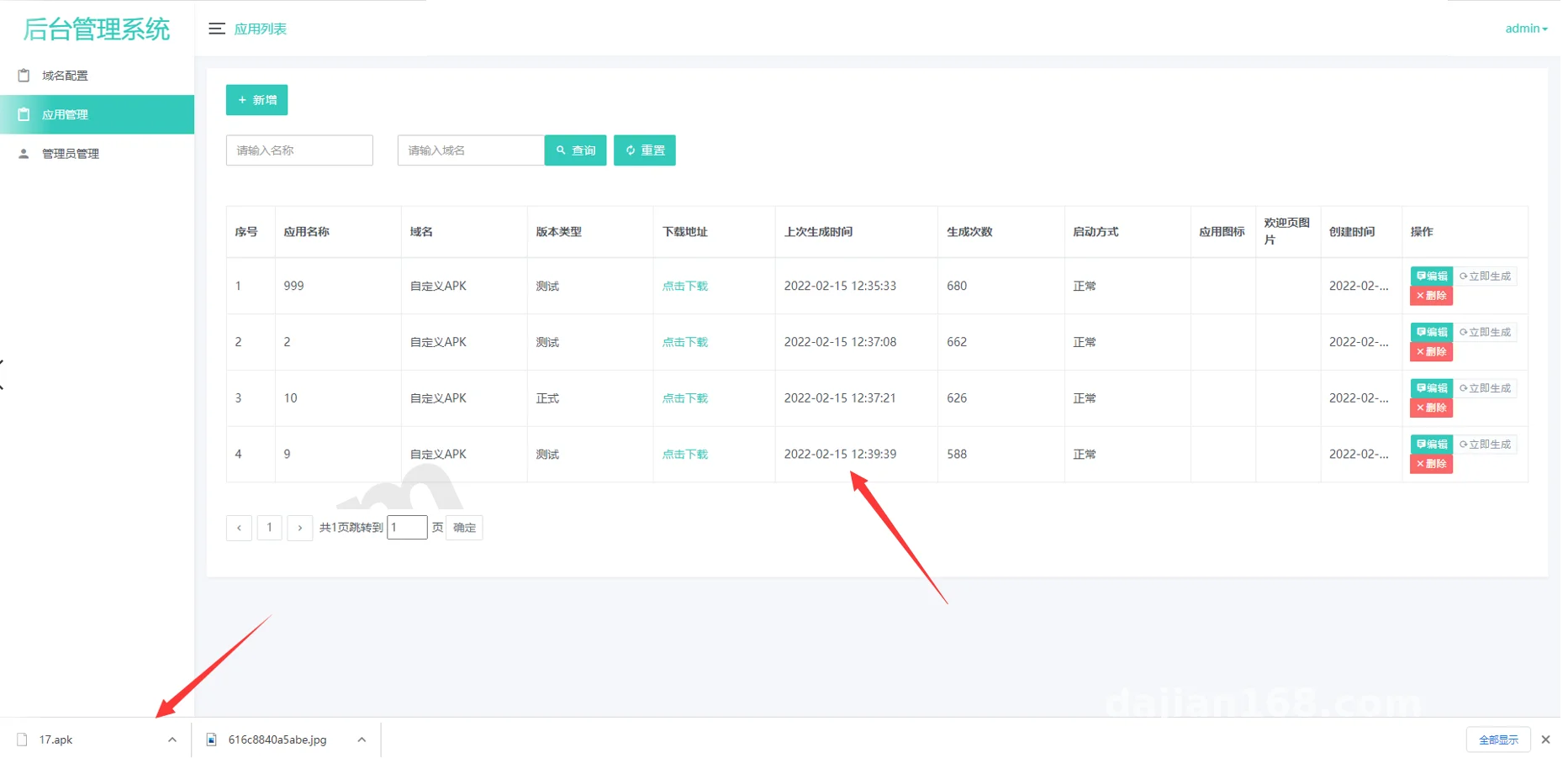
The backend of this system is called the admin management panel, built on PHP + MySQL, with a complete packaging configuration dashboard on the front end. Honestly, the hard part of this kind of system isn’t the installation — it’s getting the signing service and scheduled tasks to work together. Details below.
Hands-On Testing: How the Three Core Modules Performed
1. Automatic Package Name and Signature Rotation
This is the system’s biggest selling point. In the backend you can set a time interval — I set it to 5 minutes in my tests — and the system automatically generates a new package name suffix and signing certificate, then re-signs and outputs the package. The principle isn’t complicated: the server maintains a certificate pool, and when the scheduled task fires, it randomly picks a certificate, concatenates a random package name string, and calls the signing module to re-sign the base APK. I ran it overnight and generated over two hundred packages with different signatures, with no signature conflicts.
Pitfall: every certificate in the pool must be valid. Once an expired certificate got mixed in and the scheduled task froze completely. I fixed it later by adding certificate validity checks in the backend.
2. APK Upload and Distribution Management
The upload module supports direct APK file uploads as well as filling in a download link. After uploading, the system automatically parses the package info — version number, package name, icon, and permission list all get read out and displayed in the backend list. The distribution page lets you customize the download copy and QR code. The client tested devices from Android 8 through Android 13, and the download and install flow worked fine on all of them.
3. Approach to False-Positive Handling
Let me be clear up front: false positives are essentially the interception policies security software applies to unknown signatures or duplicate package names. This system lowers the chance of being matched by signature databases by rotating signatures and package names on a schedule — it’s a solution at the technical demonstration level. For real-world use, you should still go through proper distribution channels, such as app store listings or enterprise-signed distribution. Compliance matters most.
Deployment Essentials: Environment Setup and Configuration Details
My environment: CentOS 7.9 + PHP 7.4 + MySQL 5.7 + Nginx. Installation isn’t complicated; the default ThinkPHP rewrite rules work fine.
A few key configuration points:
– PHP needs the shell_exec function enabled, since the signing calls depend on the command line. BT Panel disables it by default, so remember to remove it from the disabled functions list.
– Run scheduled tasks with crontab, executing a check script every minute; the script itself decides whether it’s time to rotate the signature. Don’t use the backend’s built-in loop — it tends to leak memory. I ran into process pileup on day one.
– The storage directory needs write permissions for the www user, especially the certificate pool and output directories. Wrong permissions cause silent failures, with only a single blank error line in the logs — I spent ages troubleshooting that.
– For localization, the backend ships with Chinese/English switching. The client has an overseas team, so during secondary development I added a language pack — not a big change.
Pro tip: prepare at least 20 certificates in the signing pool for rotation, and don’t set the interval too short. 5 minutes is a fairly stable balance point; going too frequent slows down the packaging queue.
Room for Secondary Development
The code structure is reasonably clean, with well-separated controllers. I did two small customizations: first, I integrated a payment interface for membership plan purchases (billing by packaging quota), using a generic payment plugin pattern; second, I added priority to the packaging queue so paying users go first. If you’re building task-distribution-style app packaging, the rework cost on this architecture isn’t high.
Who This Is For
– Teams doing internal enterprise app distribution who need frequent package updates
– Programmers who want to study Android signing mechanisms and automated packaging
– Webmasters taking on freelance build jobs — this kind of demand has been fairly common the past couple of years
Not suitable for complete beginners; you should at least know basic Linux administration and PHP error troubleshooting.
FAQ
Q: What if the packaged APK reports a signature conflict during installation?
A: Uninstall the old version first, then install. Since the package name changed, there shouldn’t be a conflict in theory — if there is, it means the random package name module didn’t take effect. Check whether the scheduled task is running.
Q: What are the minimum server requirements?
A: Start with 2 cores and 4GB RAM. Signing and compilation are CPU-heavy, and I’d recommend at least 5M bandwidth — APK files are typically tens of megabytes, and low bandwidth makes downloads a painful experience.
Q: Can the signature rotation interval be customized?
A: Yes, there’s a configuration option in the backend, measured in minutes. I’d suggest no lower than 5 minutes; too frequent will cause the packaging queue to back up.
Q: Is the system secure? Could it have backdoors?
A: Before deploying, I did a global search for suspicious code and found no unusual outbound connections. That said, for any source code, I’d recommend auditing it yourself before going live — change the default backend path and admin credentials.
Disclaimer: This system is for legal app packaging and distribution technical demonstration only. Please comply with all applicable laws and regulations when using it, and never use it for any unlawful purposes.
Disclaimer: This article is for technical education and demonstration only. It is not professional or financial advice. Any real-world deployment must comply with applicable laws and regulations.
#app packaging #signature rotation #APK distribution #source code deployment #build notes
-
 Alipay QR Code Scan
-
 WeChat Scan Pay