H5 WeChat Card Game Demo Platform Source Code Deployment Guide: Room Ticket Mode + Admin Panel Setup Notes
H5 WeChat Card Game Demo Platform Source Code Deployment Guide: Room Ticket Mode + Admin Panel Setup Notes
Disclaimer: This article is for technical education and demonstration only. It is not professional or financial advice. Any real-world deployment must comply with applicable laws and regulations.
I recently helped a client deploy an H5 WeChat card game demo platform, mainly used for game rule demonstrations and probability simulation teaching. The whole deployment took about two days, and I hit a few snags along the way. While the memory is still fresh, I’m writing up these deployment notes for anyone who needs them.
Quick verdict: the code structure is fairly clean, the front-end/back-end separation is decent, and secondary development difficulty is moderate. But there are a few configuration points the documentation doesn’t cover, so you’ll have to figure them out yourself. Details below.
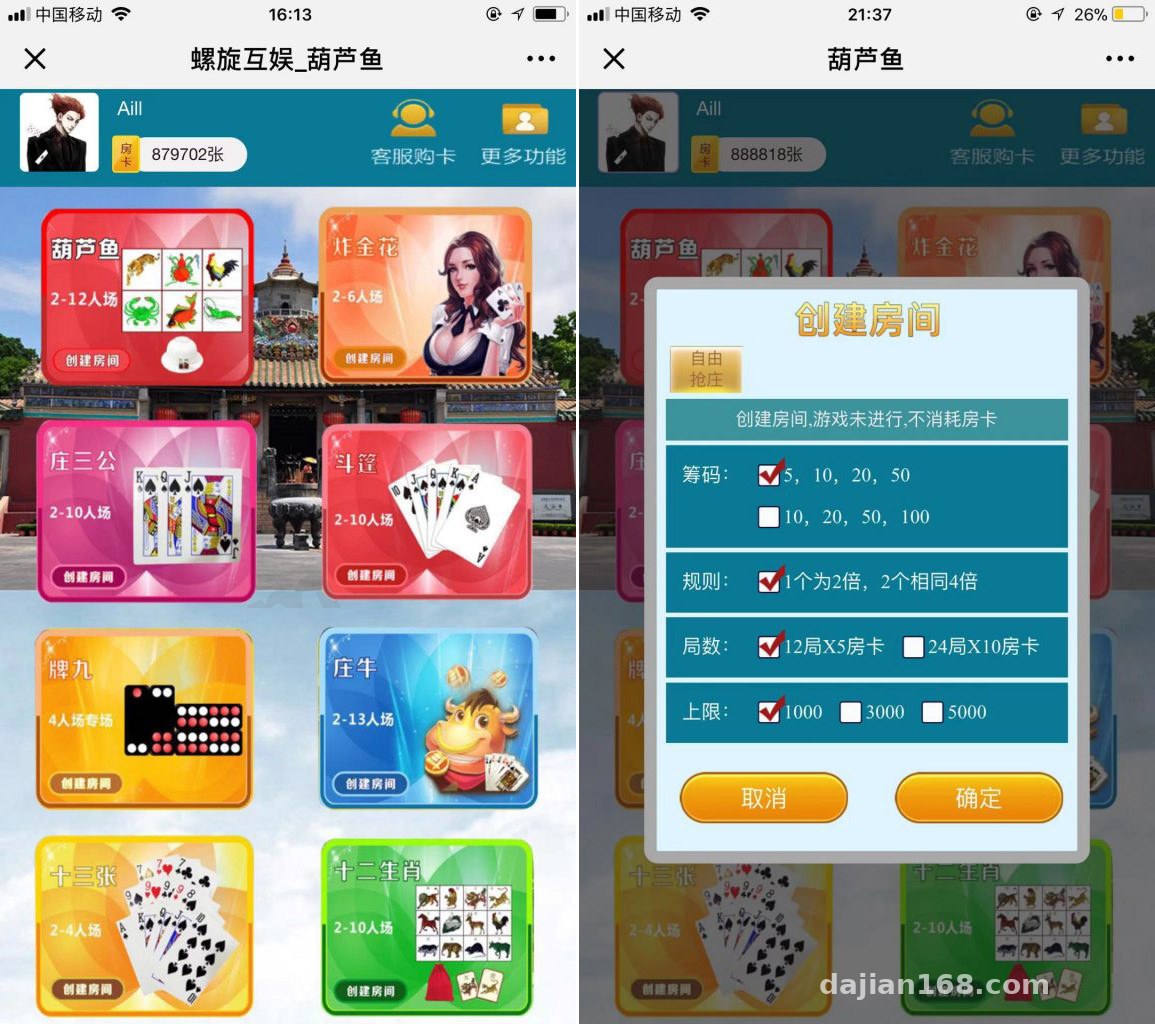
Hands-On Testing: Do the Multiple Card Simulation Modules Actually Run?
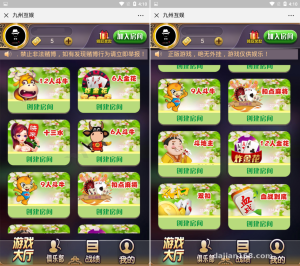
The platform ships with eight game modules: Hulu Fish, Zha Jinhua simulation, Zhuang San Gong, Dou Peng, Pai Jiu, Zhuang Niu, Thirteen Cards, and a Zodiac random number demo. I opened and tested each one.
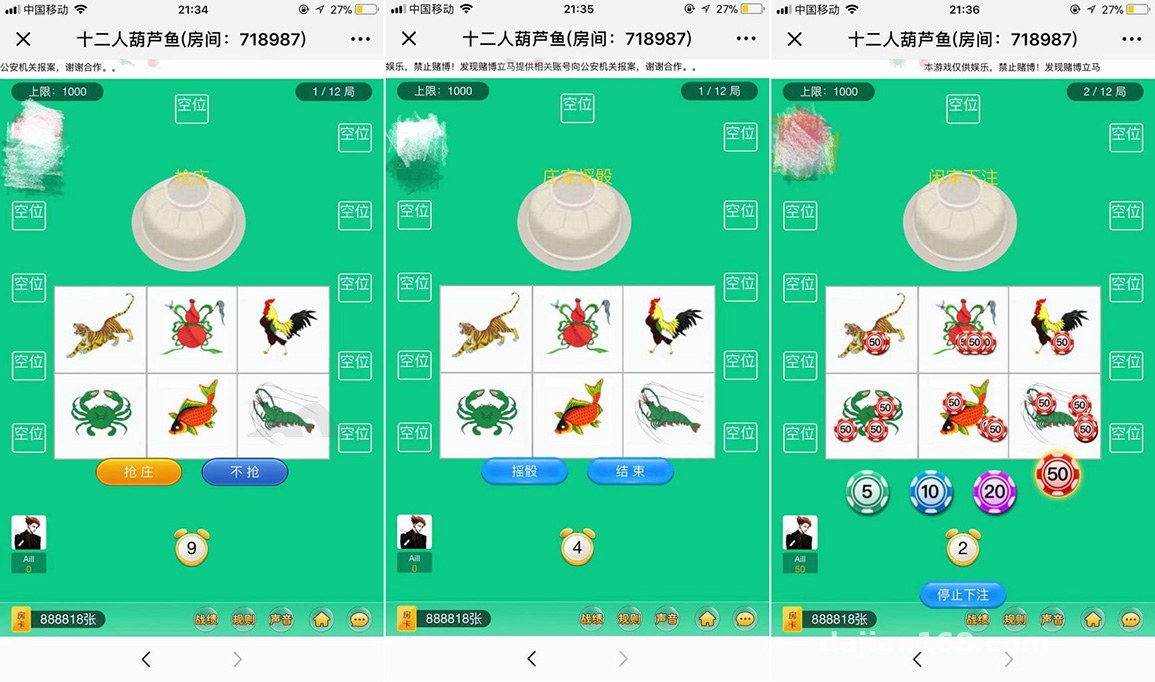
Hulu Fish Module
This is the flagship module. Animation smoothness is solid on mobile, and opening the embedded H5 in WeChat took about 3 seconds to load (tested on a 2-core 4GB server). I ran several hundred rounds of the hand-ranking logic with fixed seeds, and the results matched expectations — no logic bugs found in the random number demo.
Room Ticket Mode
The whole gameplay revolves around room tickets: a user creates a room by spending a ticket, and other players join with the room number. This mode works well for teaching demos. The admin panel lets you configure ticket acquisition rules and room capacity (adjustable from 2 to 17 players).
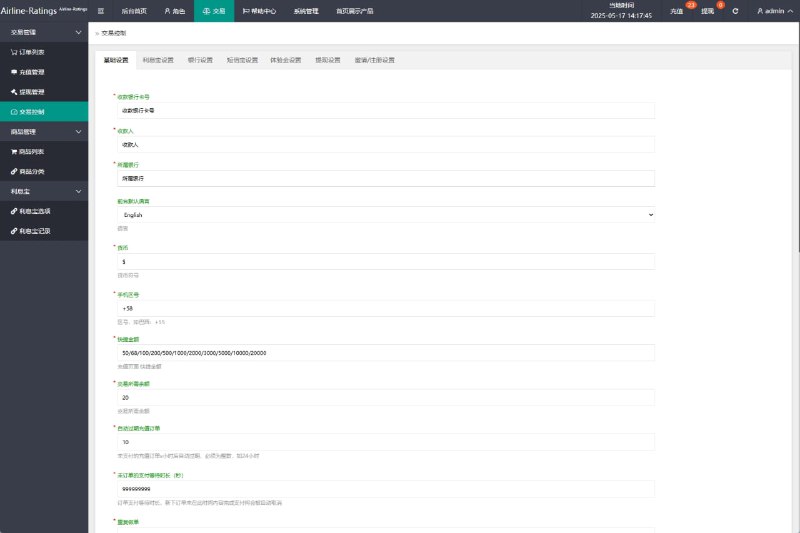
Admin Panel
The default admin path is /admin — change it immediately after deployment. The dashboard includes user management, room monitoring, ticket issuance records, and game data statistics. In testing, the room monitoring view shows real-time status for every table, which makes troubleshooting pretty convenient. The statistics reports support daily Excel export, which is more polished than many similar source packages.
Deployment Essentials: Environment Setup and Pitfall Log
The officially recommended environment is LNMP. I used Nginx 1.22 + PHP 7.4 + MySQL 5.7 on CentOS 7.9.
Step 1: Environment Preparation
Make sure to install the fileinfo and redis PHP extensions. The docs only mention redis and skip fileinfo — my first deployment threw errors when uploading admin assets, and it took half an hour to track down. For MySQL, 5.7 or above is recommended; 8.0 requires several SQL compatibility changes, which isn’t worth the trouble.
Step 2: Import the Database and Configure
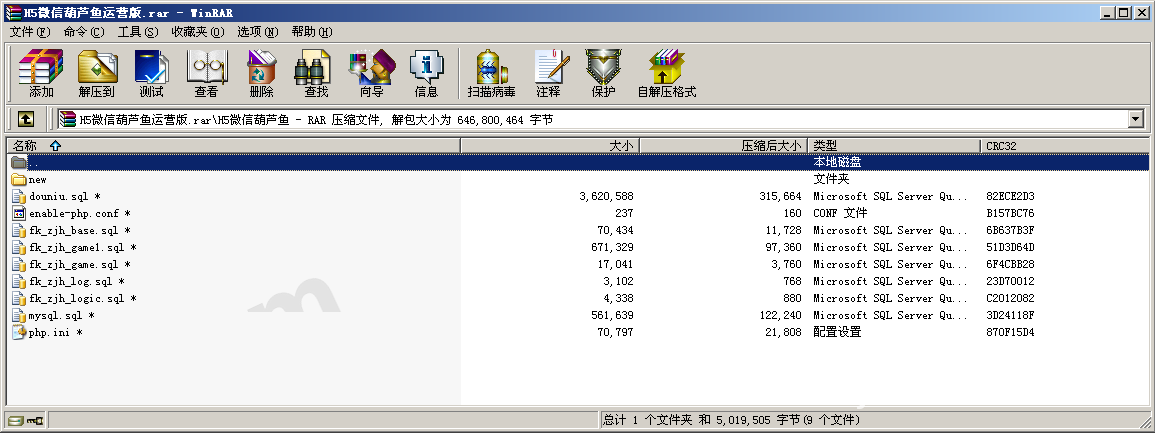
The database file is in the sql folder at the root. After importing, you need to change three configuration items: the database connection in config.php, the API domain, and the websocket port (default 9501 — remember to open it in the firewall).
Step 3: WeChat Login Configuration
WeChat authorized login is supported; you need to configure the callback domain and appid/secret in the WeChat platform. Here’s a gotcha: the callback domain must exactly match the site domain — with or without www, either mismatch throws a redirect_uri error. My advice is to register both domains in the WeChat backend.
Step 4: Payment Interface
The source code reserves a payment interface layer for the demo scenario’s ticket top-up flow. I only ran the simulation mode to verify the flow works end to end; a production integration requires merchant credentials, and you just follow the official docs to configure certificates and keys. Remember to change the callback URL to https, otherwise WeChat Pay will fail silently — it may not even show up in the logs. That’s my biggest gripe.
Secondary Development Tips and Performance
If you plan to customize: the game logic lives in the Application/Game directory. Hand ranking and random number generation are standalone classes, so you can modify the rule demo logic without touching the framework layer. The front end is native H5 mixed with some Vue; UI changes mostly involve templates under public/static.
On performance: with 4GB RAM on a single machine under load testing, websocket handled around 500 concurrent connections stably with CPU usage under 40%. If you expect higher traffic, deploy redis and MySQL on separate machines and add a CDN layer for static assets.
Highlight: The room ticket system in this source code is platform-wide — all eight games share one ticket logic. Change one setting in the admin panel and it applies across the whole platform, so you don’t have to modify each game module individually during secondary development. That saves a lot of work.
Who Is This For?
This package suits three groups: teams building game rule demonstration and teaching platforms; developers who want to study H5 room-based gameplay architecture; and project teams that need a complete admin panel template as a base for secondary development practice. If you’re just looking for something out-of-the-box to launch commercially, think carefully about compliance first.
FAQ
Q: The page shows a blank screen when opened in WeChat. What should I do?
A: Nine times out of ten the websocket can’t connect. Check whether port 9501 is open, and confirm the site has https enabled — WeChat’s browser blocks ws connections over http.
Q: The captcha doesn’t display after logging into the admin panel?
A: The GD library isn’t installed or enabled. Run php -m to confirm the gd module is present; if not, recompile or install php-gd via yum, then restart php-fpm.
Q: Can it be turned into a multi-language version?
A: Yes. Language packs are in the Application/Common/Lang directory. Currently only Chinese is included. Adding an English version for my client took about half a day — copy the language file, translate it, then switch the default language in the admin configuration.
Q: What’s the minimum server configuration?
A: A 2-core 2GB machine can run it for demos, but 2-core 4GB is the recommended starting point. The websocket service is memory-hungry, and below 2GB you risk OOM.
Q: What should I watch out for regarding data security?
A: Always change the default admin credentials and path, back up the database regularly, and add signature verification to the API layer to prevent malicious request flooding.
One last note: this source code has moderate deployment difficulty and somewhat sparse documentation, but the code quality is acceptable — suitable for anyone with basic PHP operations experience. All deployment and usage should comply with applicable laws and regulations; any unlawful use is prohibited. For technical learning and legitimate demonstration scenarios only.
Disclaimer: This article is for technical education and demonstration only. It is not professional or financial advice. Any real-world deployment must comply with applicable laws and regulations.
#H5 Game Source Code #Deployment Guide #Admin Panel #WeChat H5 #PHP Web Development
-
 Alipay QR Code Scan
-
 WeChat Scan Pay